Agency trading accounts
How much of your client's money is left?
CocoTrado is the custody ledger for agents who buy on a client's behalf with the client's funds. One ledger per currency. No silent edits. A statement your client accepts without a phone call.
Creates an empty organization and makes you its Administrator. Real money moves only after we activate it.
Why not the spreadsheet
The spreadsheet works until the day it has to be believed.
Three questions a client, an auditor or a bank will ask. Each one has a structural answer here, not a policy.
“Which rate did we use?”
A cross-currency payment records both sides: what left the client's balance, what the supplier received, and the rate between them. The rate is mandatory when the currencies differ and forced to 1.0000 when they do not.
“Who changed that cell?”
Nothing in the ledger is edited or deleted. A correction posts a reversal and then the corrected entry, so the history reads original, reversal, replacement, and the balance is right at every point in between.
“Is this the version we sent?”
Every statement is archived with a snapshot of the data behind it, so any figure you sent last month can be reproduced today, whatever has been added since.
What you get
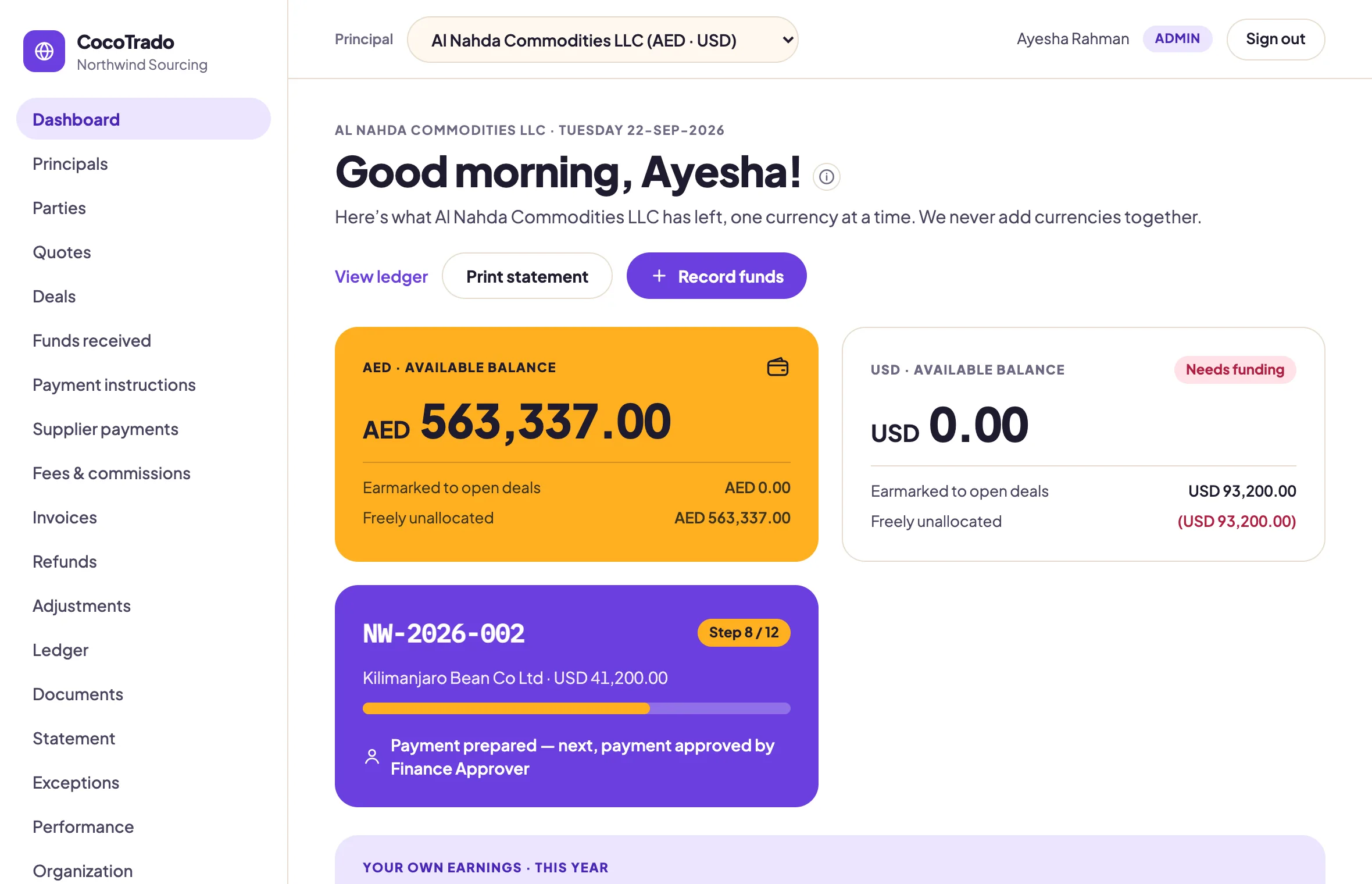
The whole account, one screen at a time.
Every picture on this page is the product, running for a demonstration organization. Nothing is drawn.
01 · Deals
Every deal, from proforma to paid.
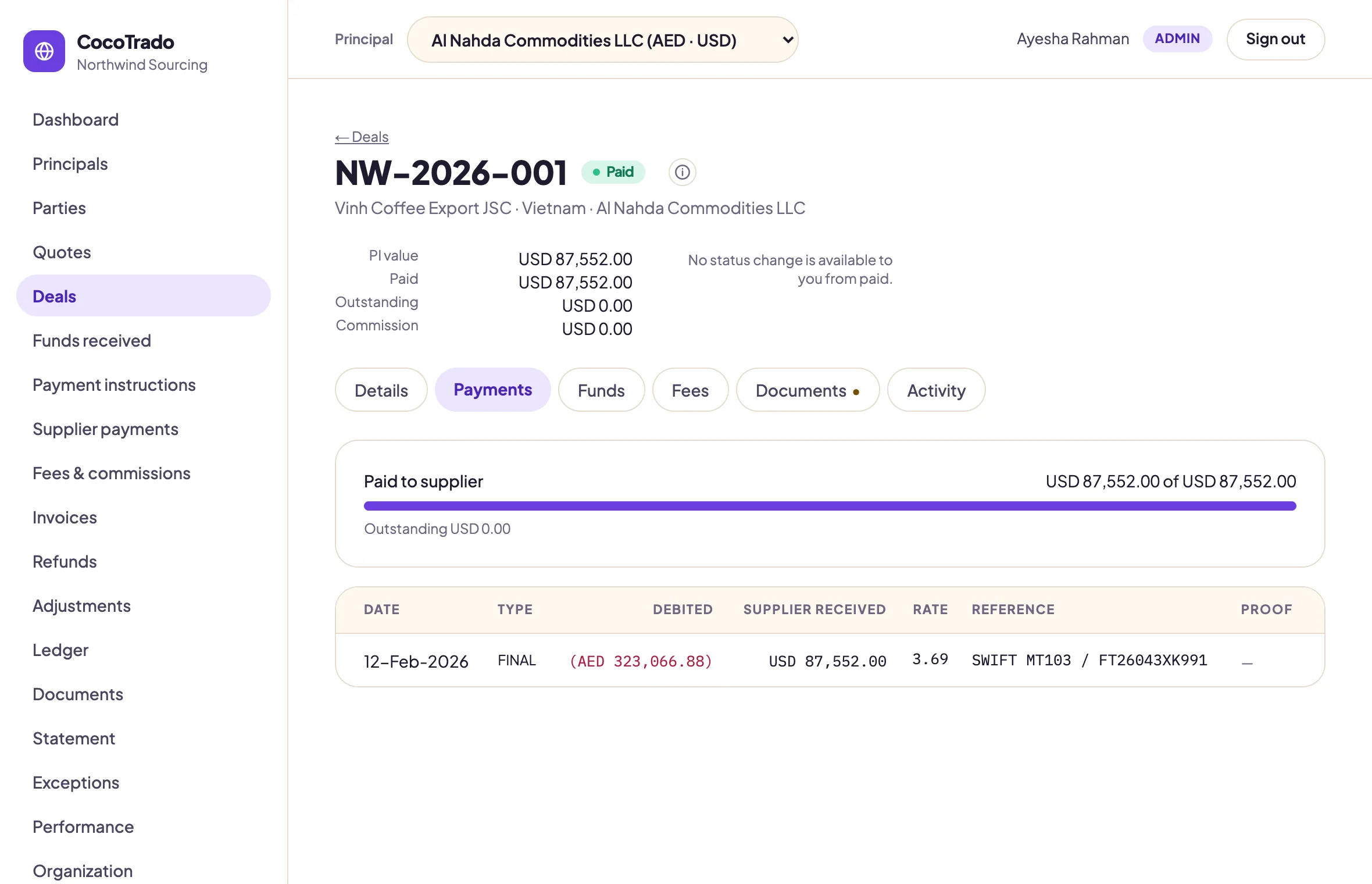
A deal carries its PI value, what has been paid and what is outstanding, in the deal's own currency. The payment beneath it shows both sides of the transfer and the rate the bank gave.
What left the client's balance, what the supplier received, and the rate between them.
Required documents are flagged on the deal until they are on file.
Every status change carries who, when and why.
02 · Payment instructions
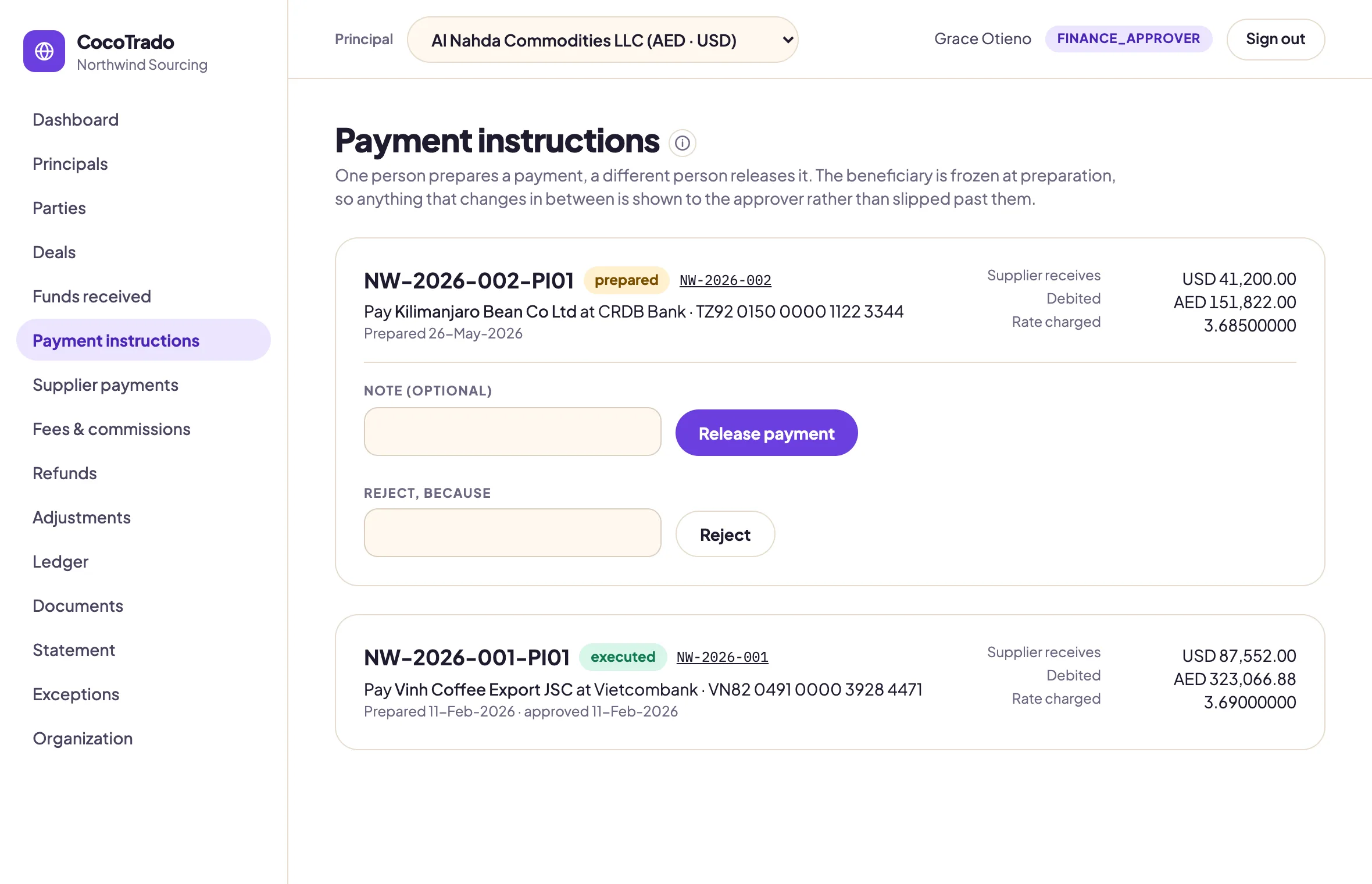
Two signatures on every payment.
One person prepares a payment, a different person releases it. The beneficiary is frozen at preparation, so an account number that changes in between is shown to the approver rather than slipped past them.
Maker and checker are different seats, and the Administrator is neither.
Releasing needs the second person. Rejecting needs a reason.
03 · Compliance
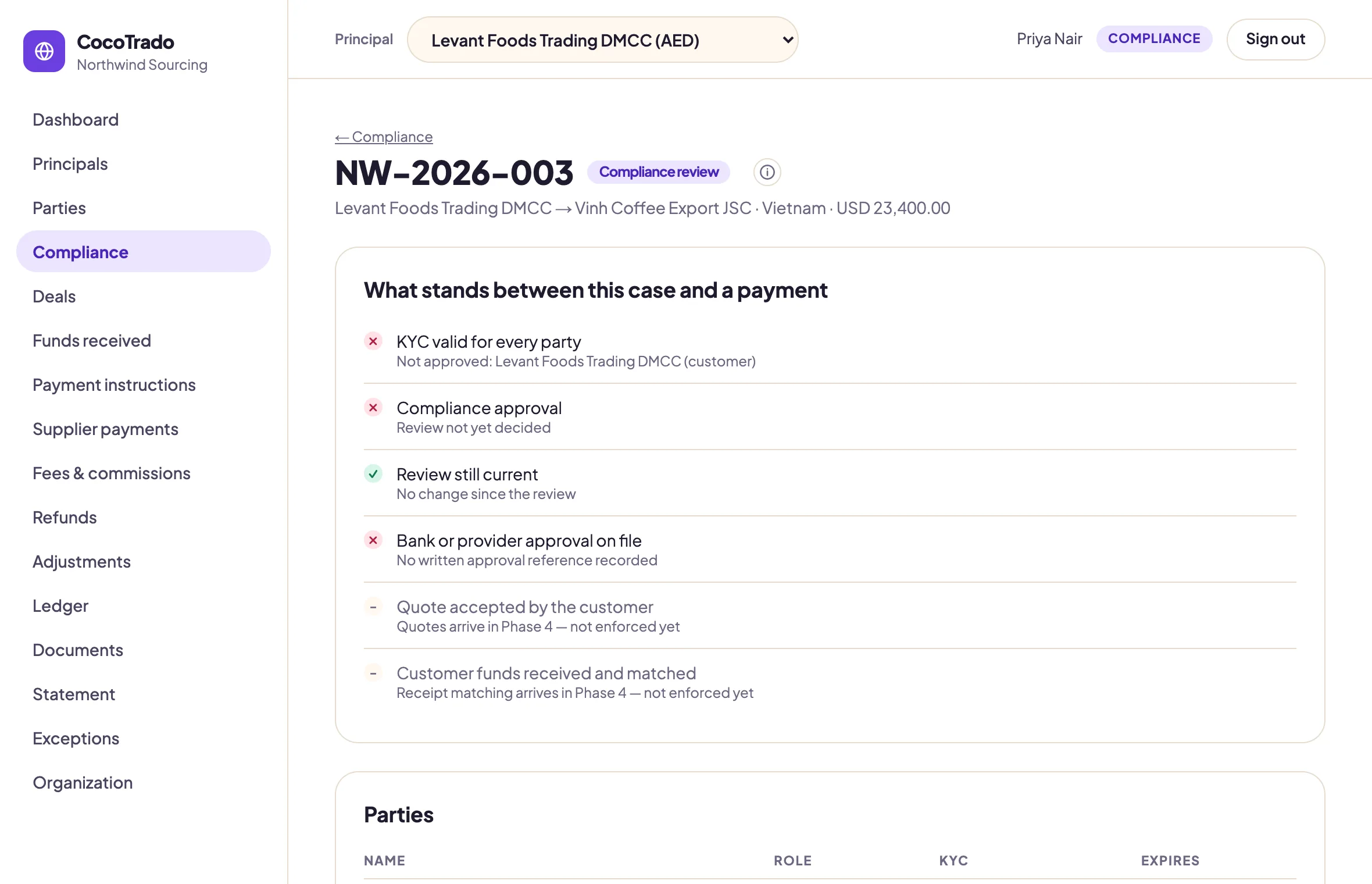
Compliance decides before money moves.
Every case shows what stands between it and a payment: KYC for every party, a decided review, a bank approval on file. A gate that has not passed blocks the payment for everyone, the Administrator included.
Only the Compliance seat clears a hold. Anyone close to the work can raise one.
Rejected is terminal. A stopped trade cannot be re-presented with new details.
04 · Ledger
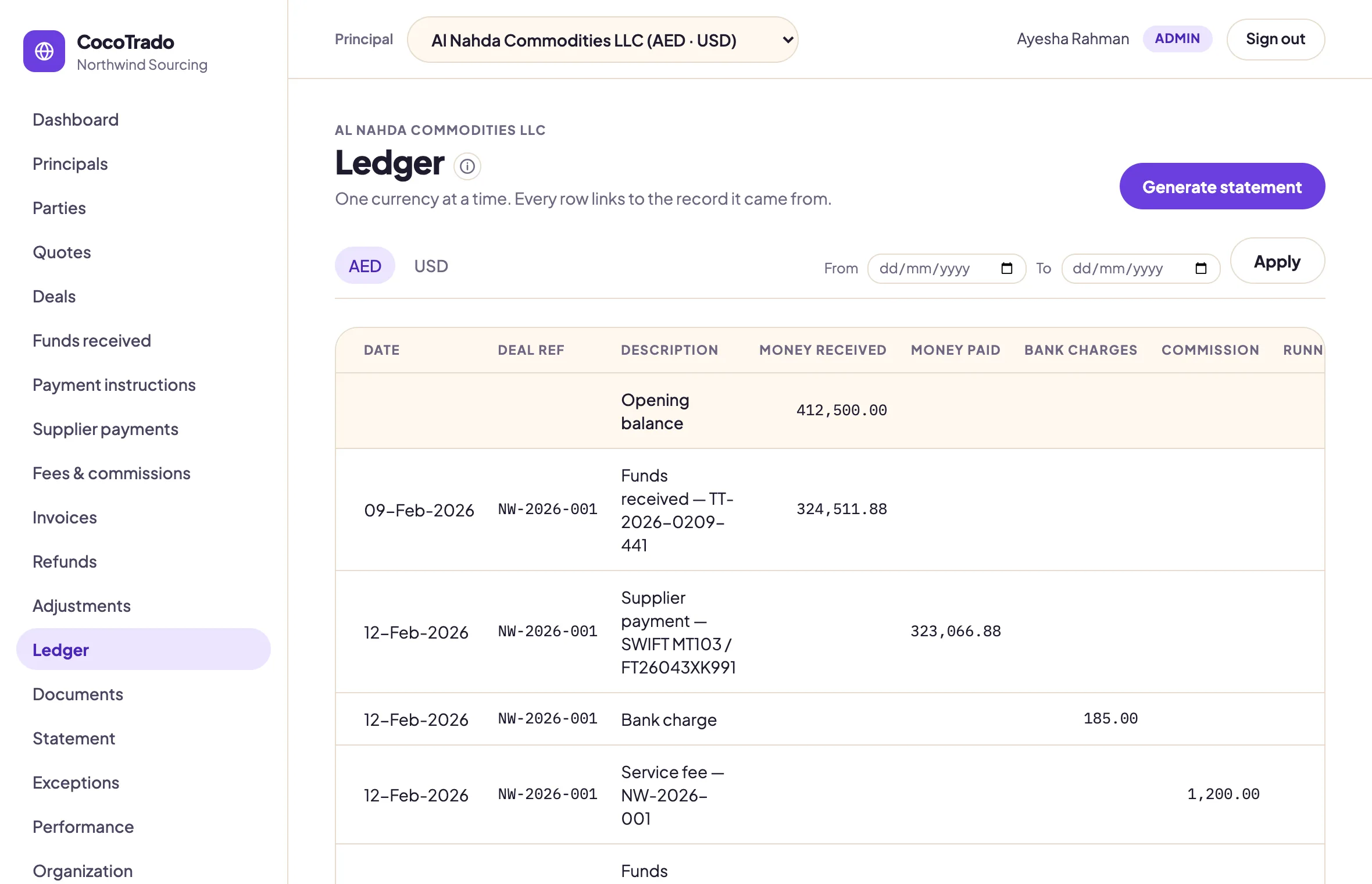
One ledger per currency.
A running statement, one currency at a time, with every row linked to the record it came from. Corrections appear as reversing lines that say why, never as edits, and there is no grand total anywhere.
Opening balance, every movement, closing available balance. Nothing in between is hidden.
Entries on an exported statement lock; a mistake is corrected by a signed adjustment with its reason.
05 · Fee rules
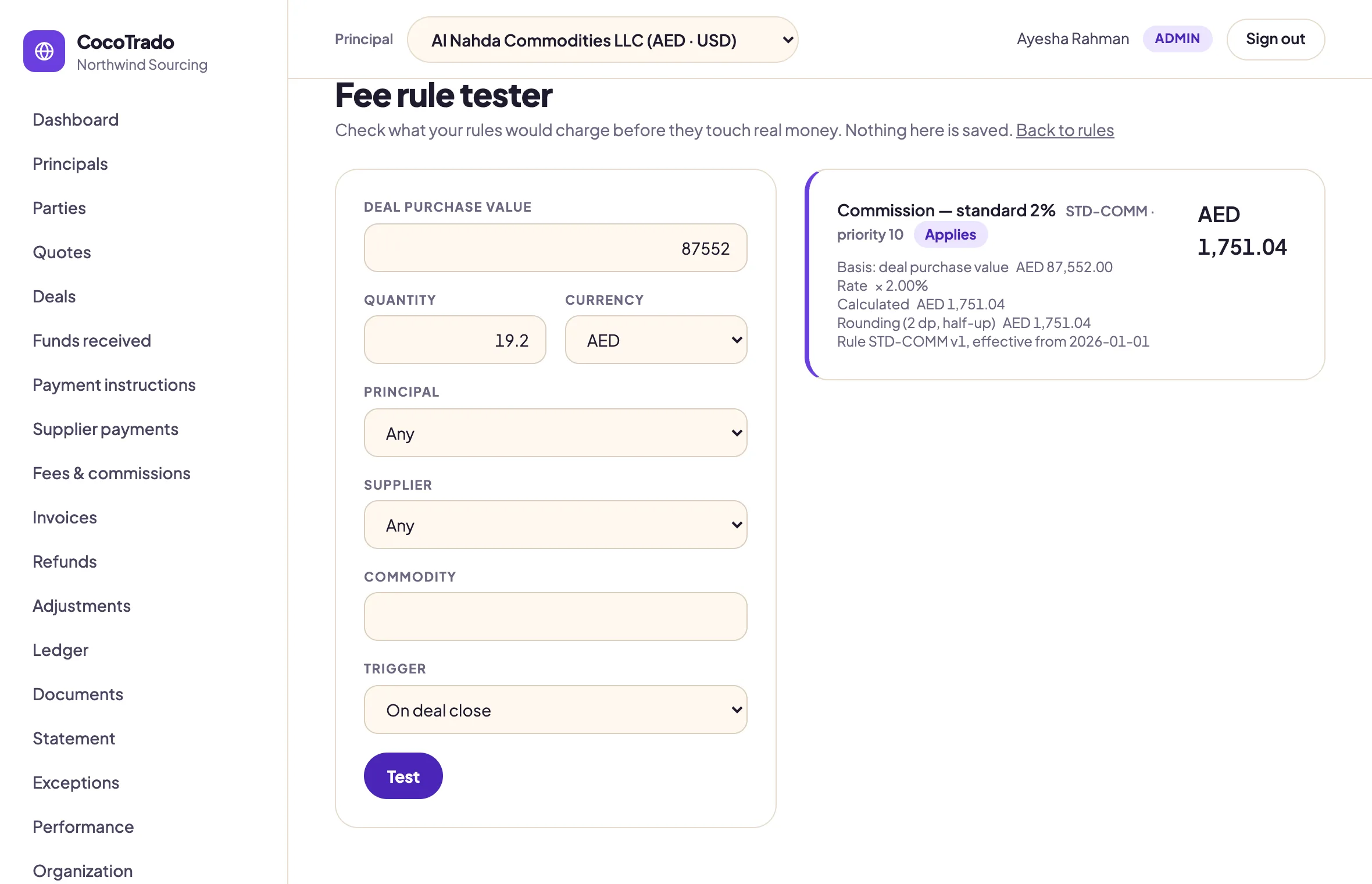
Fees you can defend.
Percentage, fixed, per unit or tiered, on the basis you choose. The tester shows what each rule would charge before it touches real money, with the working shown: basis, rate, rounding, minimum, cap and the rule version.
Editing a rule creates a new version. A posted fee keeps the version it was calculated with.
Every fee line on a statement carries the same working, so a bare number never invites a dispute.
06 · Performance
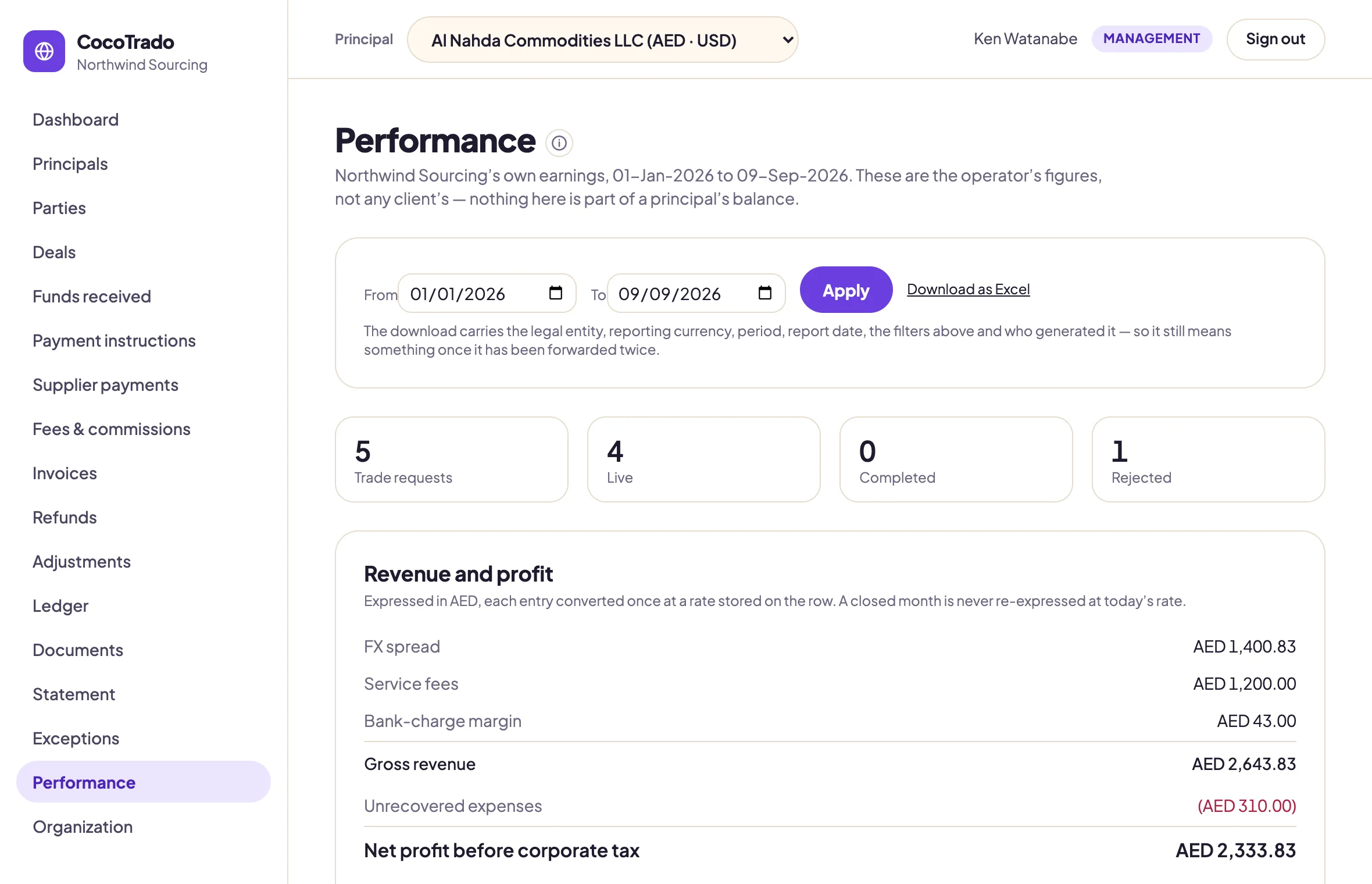
Your own earnings, kept apart.
FX spread, service fees and bank-charge margin, in one reporting currency, each entry converted once at a rate stored on the row. A principal's balance never appears here, and none of this ever appears on a statement.
Custody and revenue are two ledgers. No query joins them into one figure.
A closed month is never re-expressed at today's rate.
An Excel export that carries the entity, the period and who generated it.
07 · The statement
The reason the system exists.
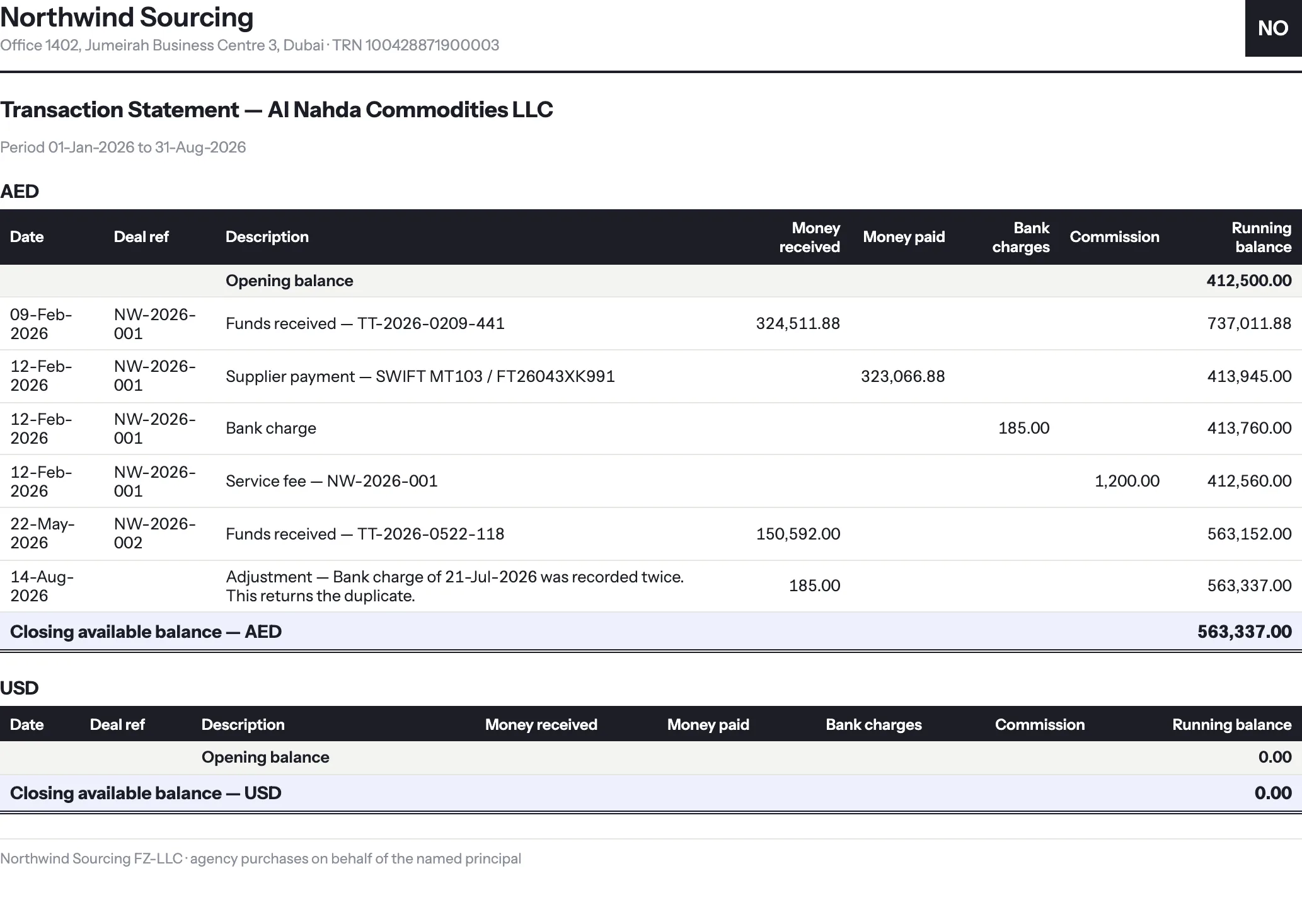
Your client never logs in. They receive this: three sheets in Excel with live formulas, and a PDF from its own template. One block per currency, never summed. Once exported, every entry on it locks.
Account summary, transaction statement and deal summary, each grouped by currency.
Real formulas, not pasted values, so the client can recalculate it in Excel.
Every export is archived with a snapshot, so it can be reproduced later to the cent.
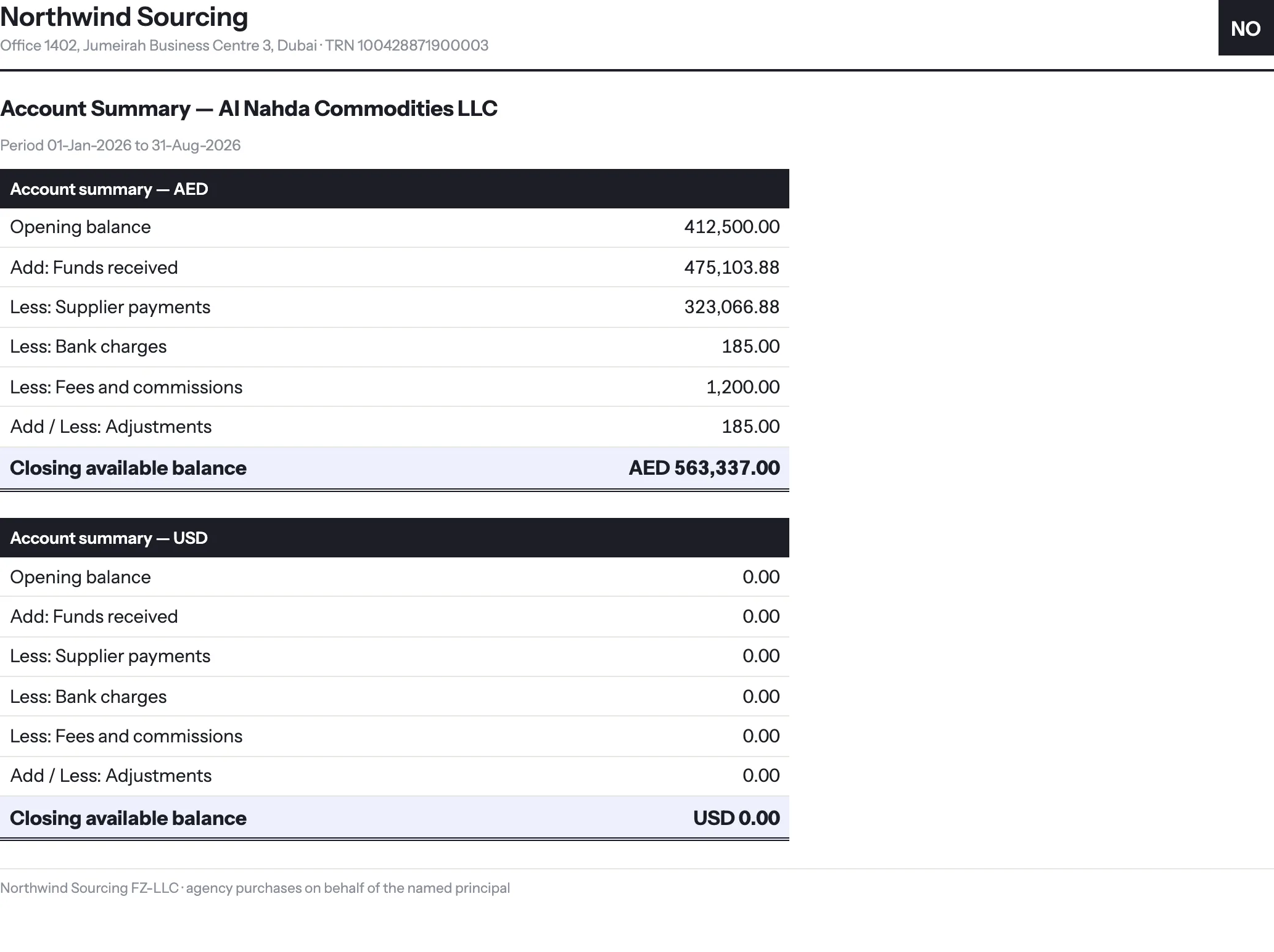
Available balance = Opening balance + Funds received − Supplier payments − Bank charges − Fees and commissions − Refunds ± Adjustments
The same arithmetic on every statement, for every organization, one currency at a time. It is not a setting.
And the rest
Every screen keeps the same promise.
Per currency, per principal, with a name and a reason on every change.
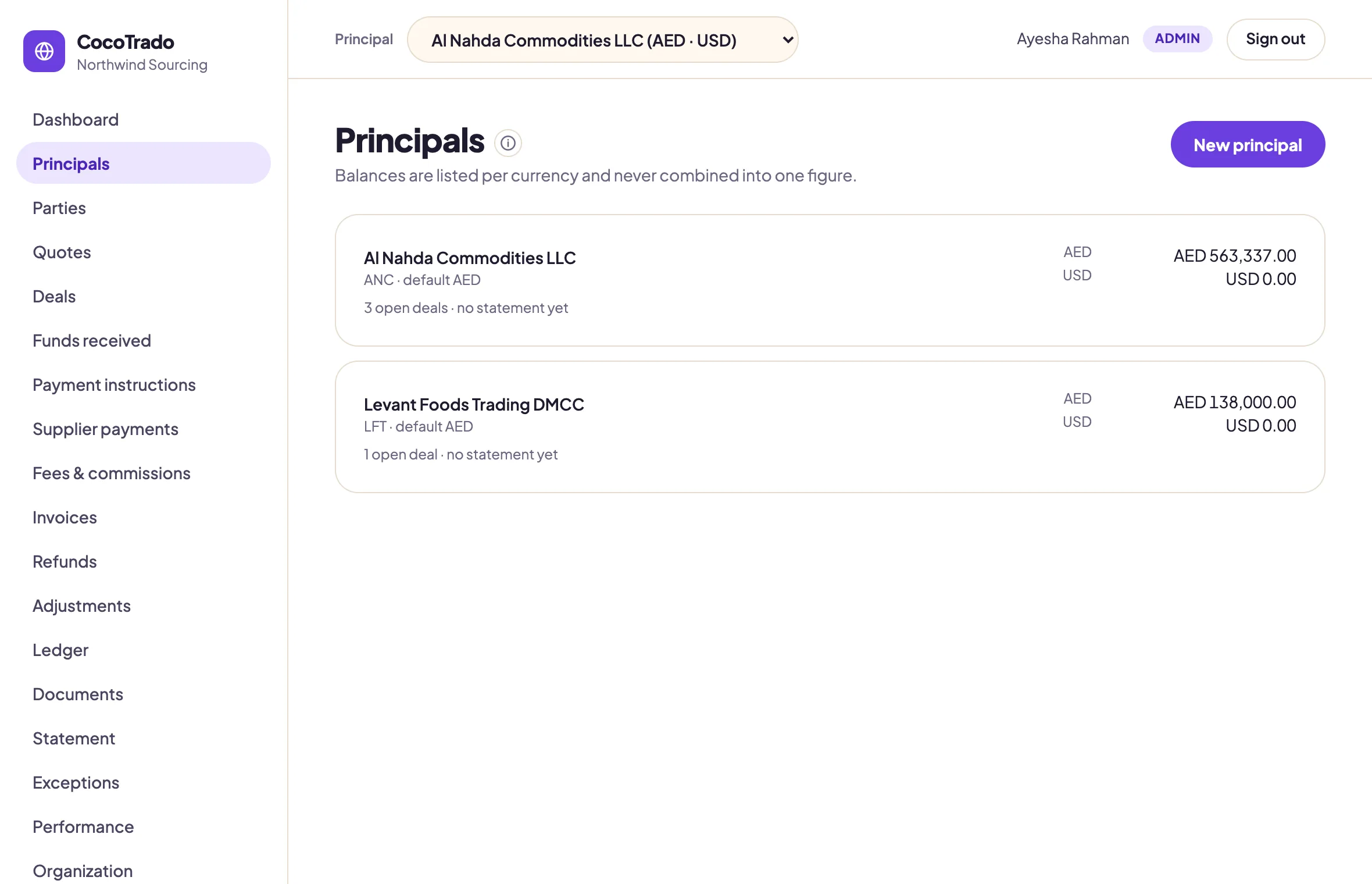
Principals
Per-currency balances on every client. Never one figure.
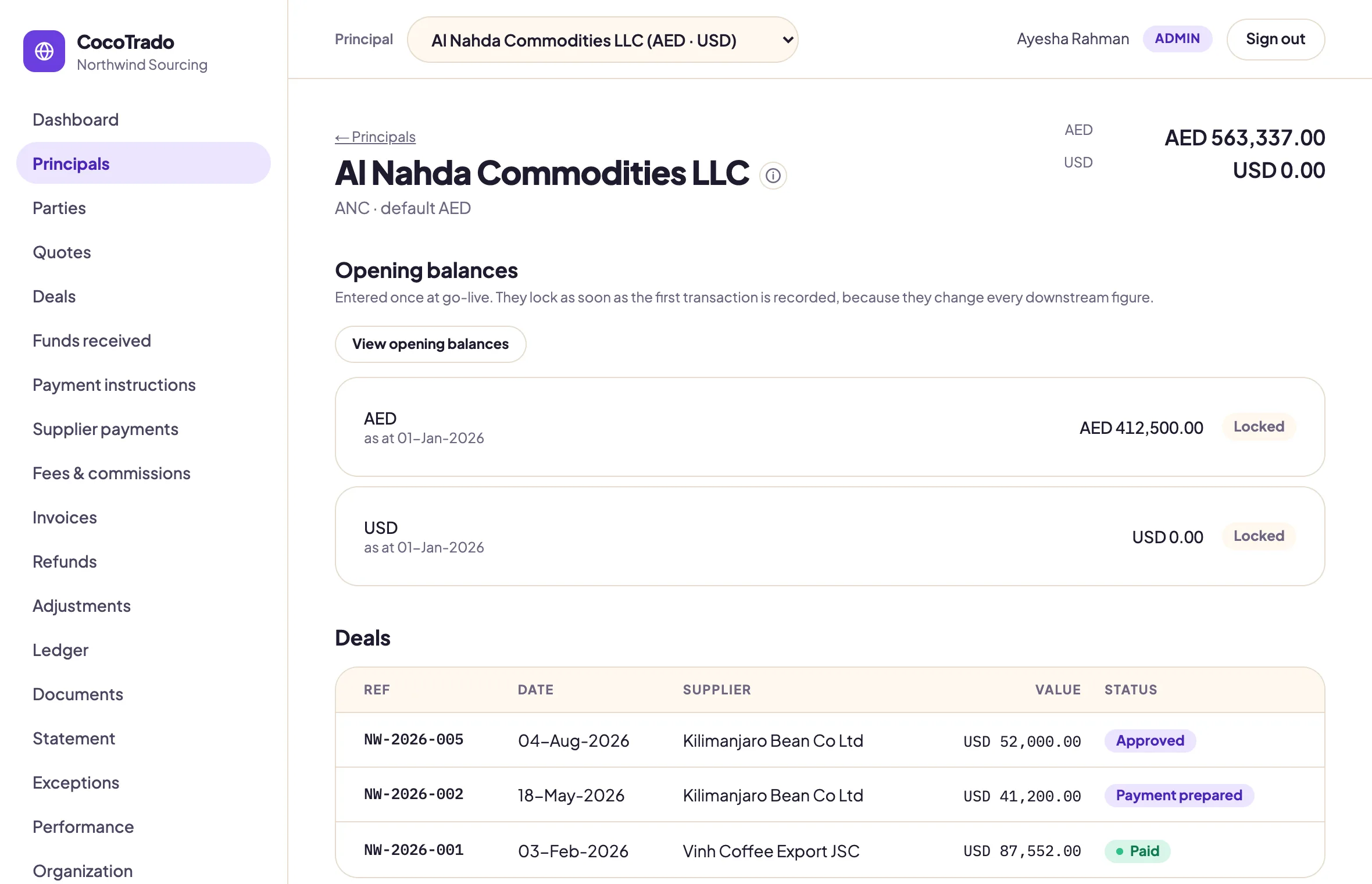
Principal detail
Opening balances entered once at go-live, locked as soon as the first transaction lands.
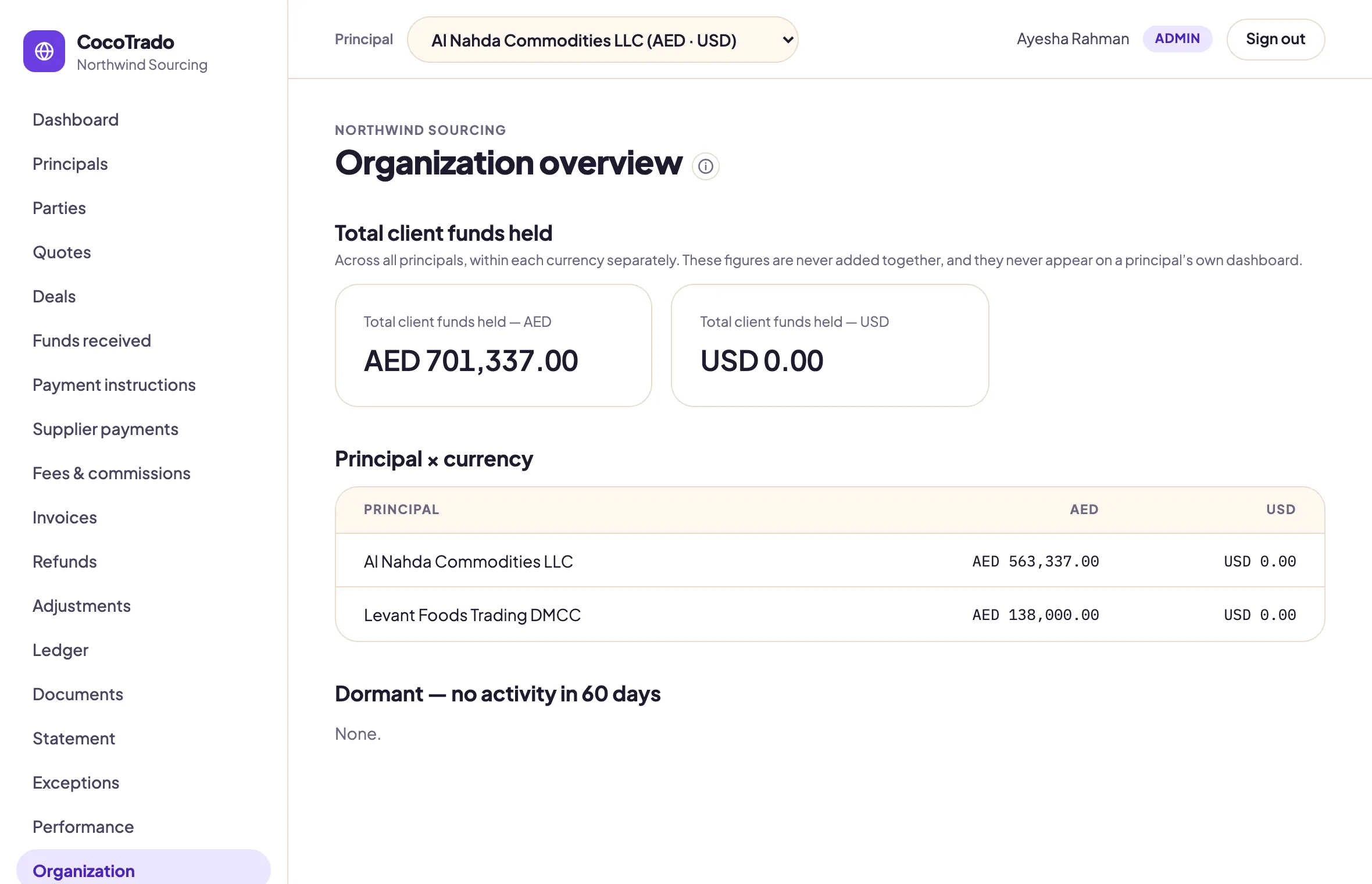
Organization overview
The one aggregate allowed: client funds held, per currency, across principals.
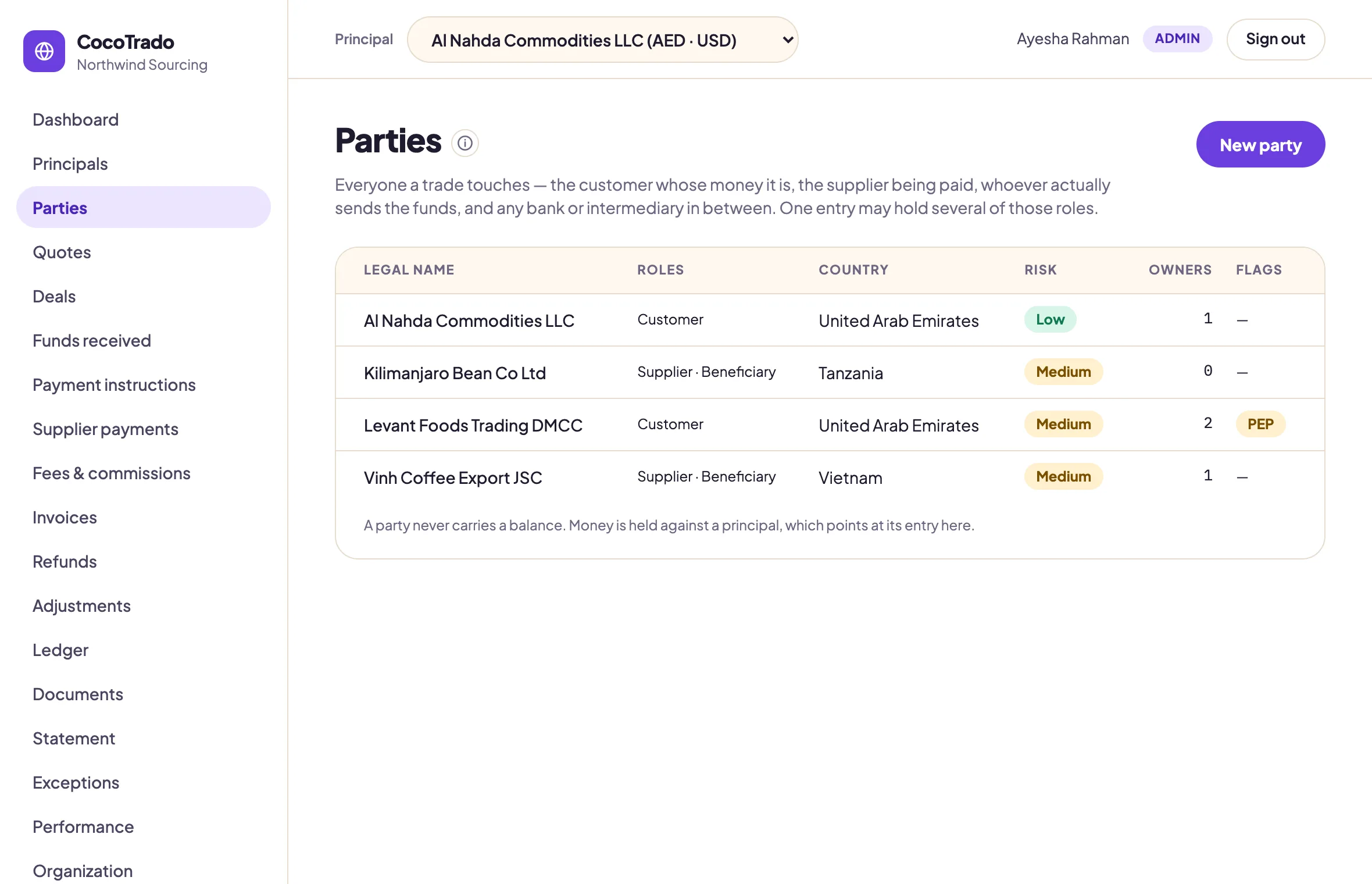
Parties
Customer, supplier, payer, beneficiary, bank, intermediary. One register, with risk and flags.
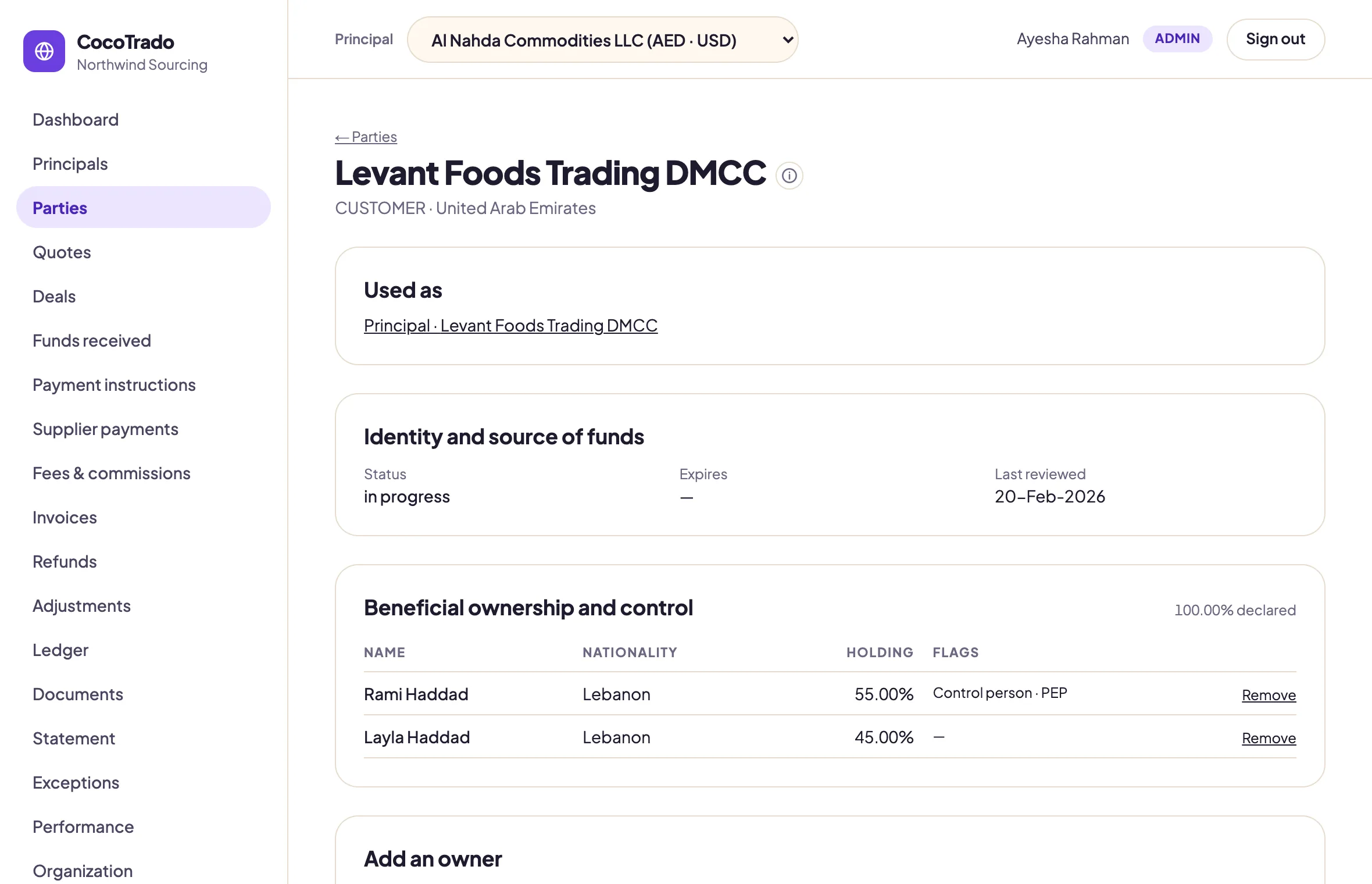
KYC and ownership
Beneficial ownership, PEP flags and identity status on the party, checked before every trade.
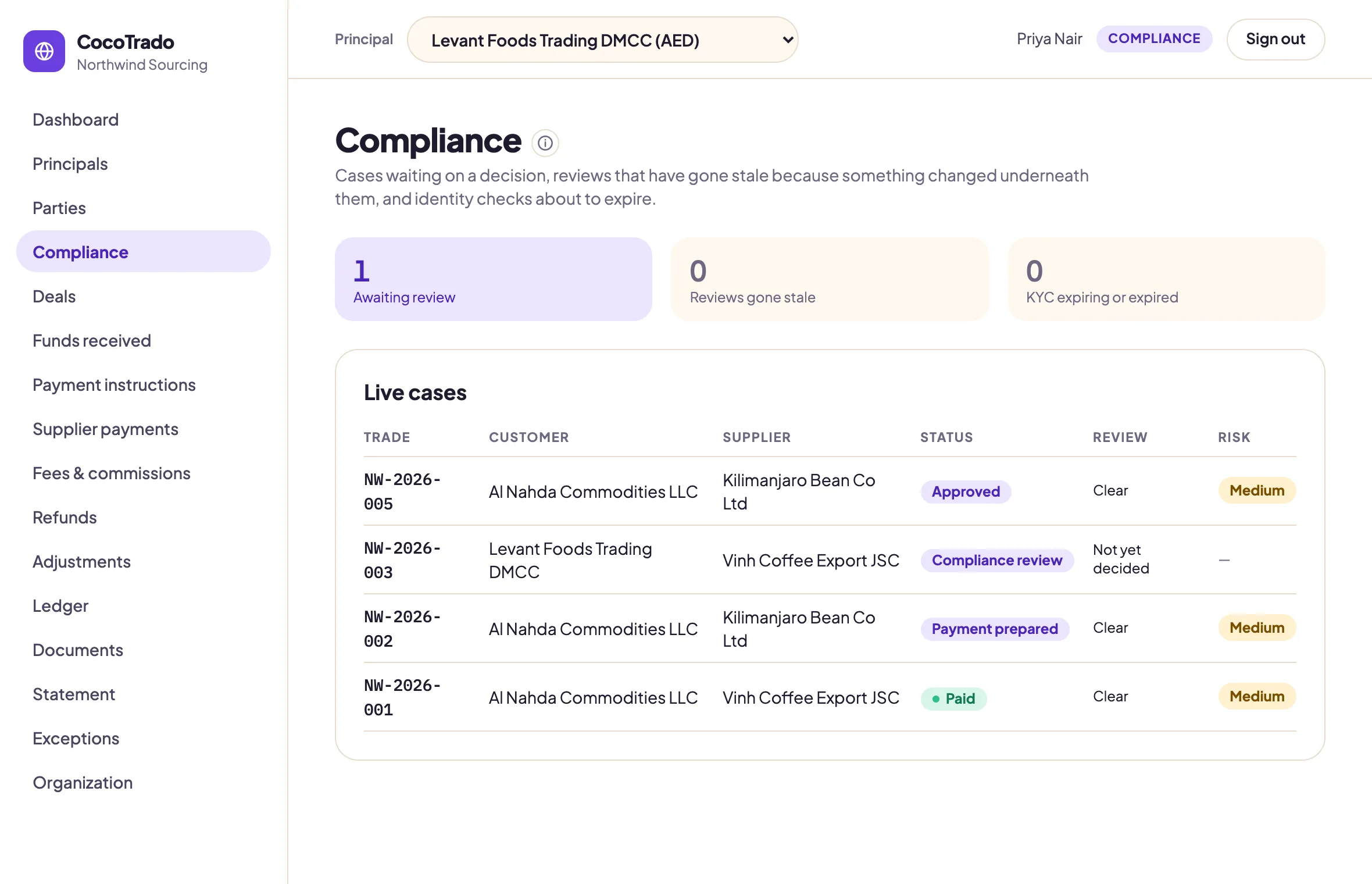
Compliance queue
Cases awaiting a decision, reviews gone stale, identity checks about to expire.
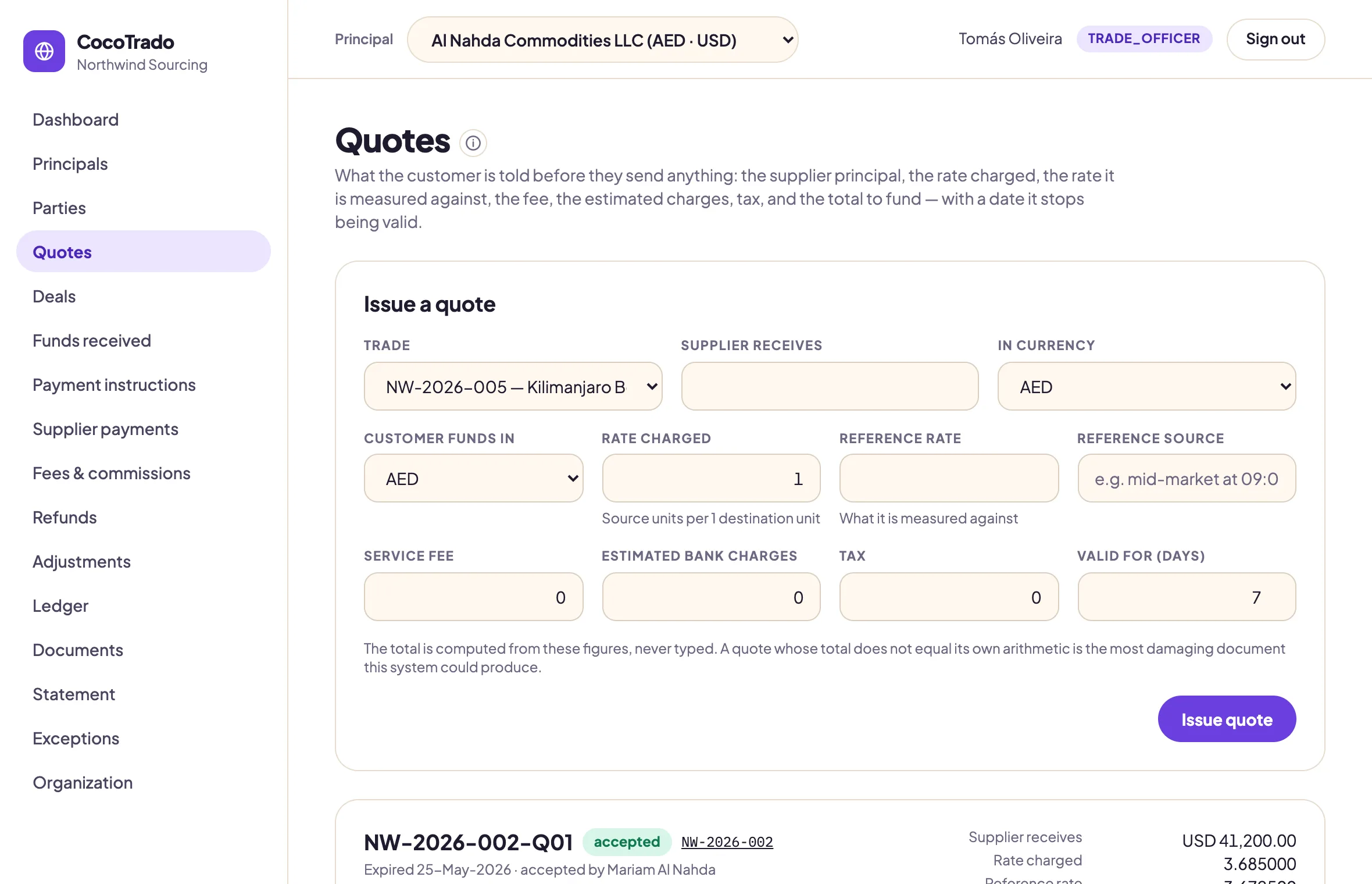
Quotes
Rate charged, reference rate, fee, charges and tax. The total is computed, never typed.
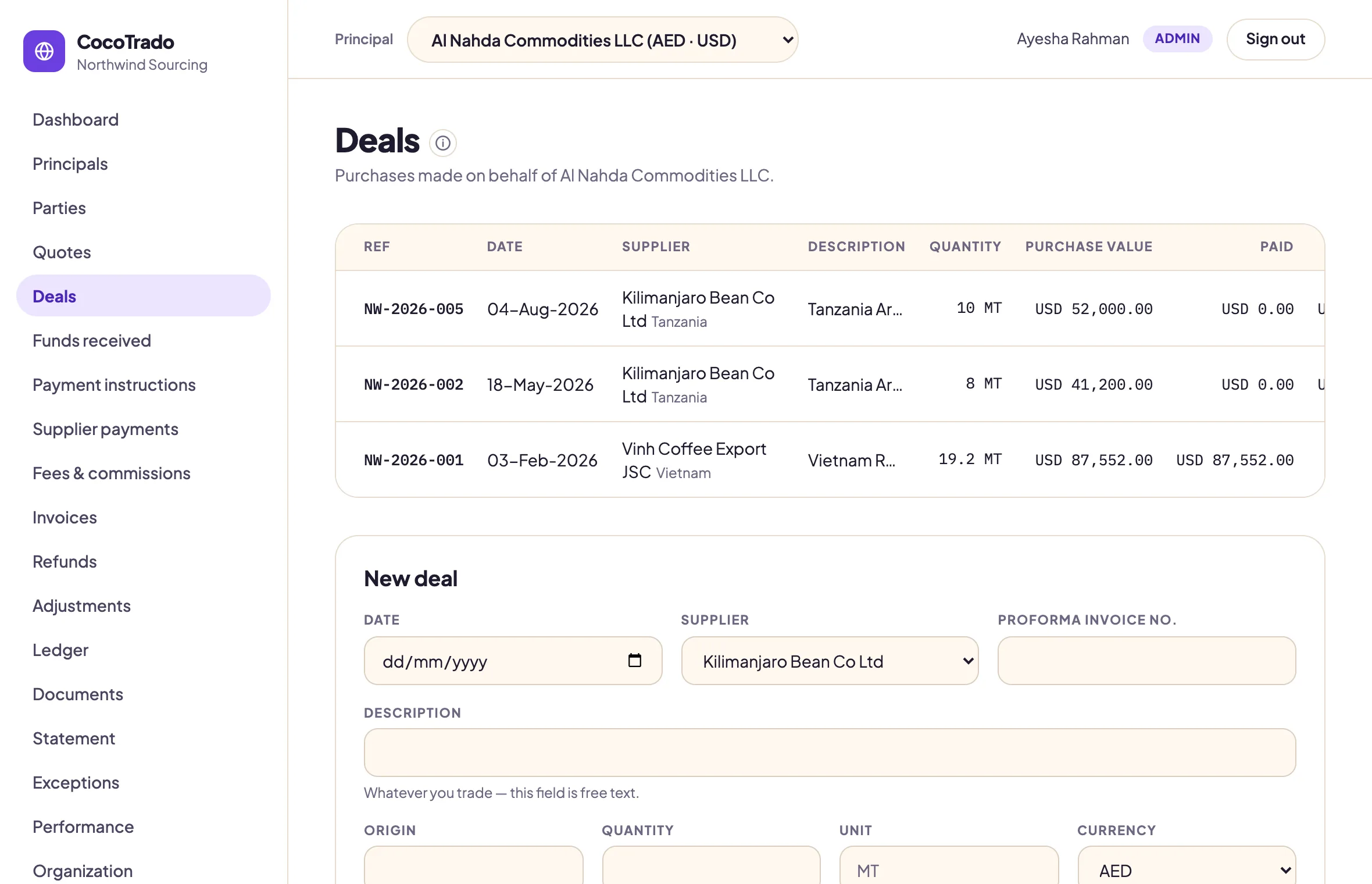
Deals
Whatever you trade, in whatever currency the supplier is paid in.
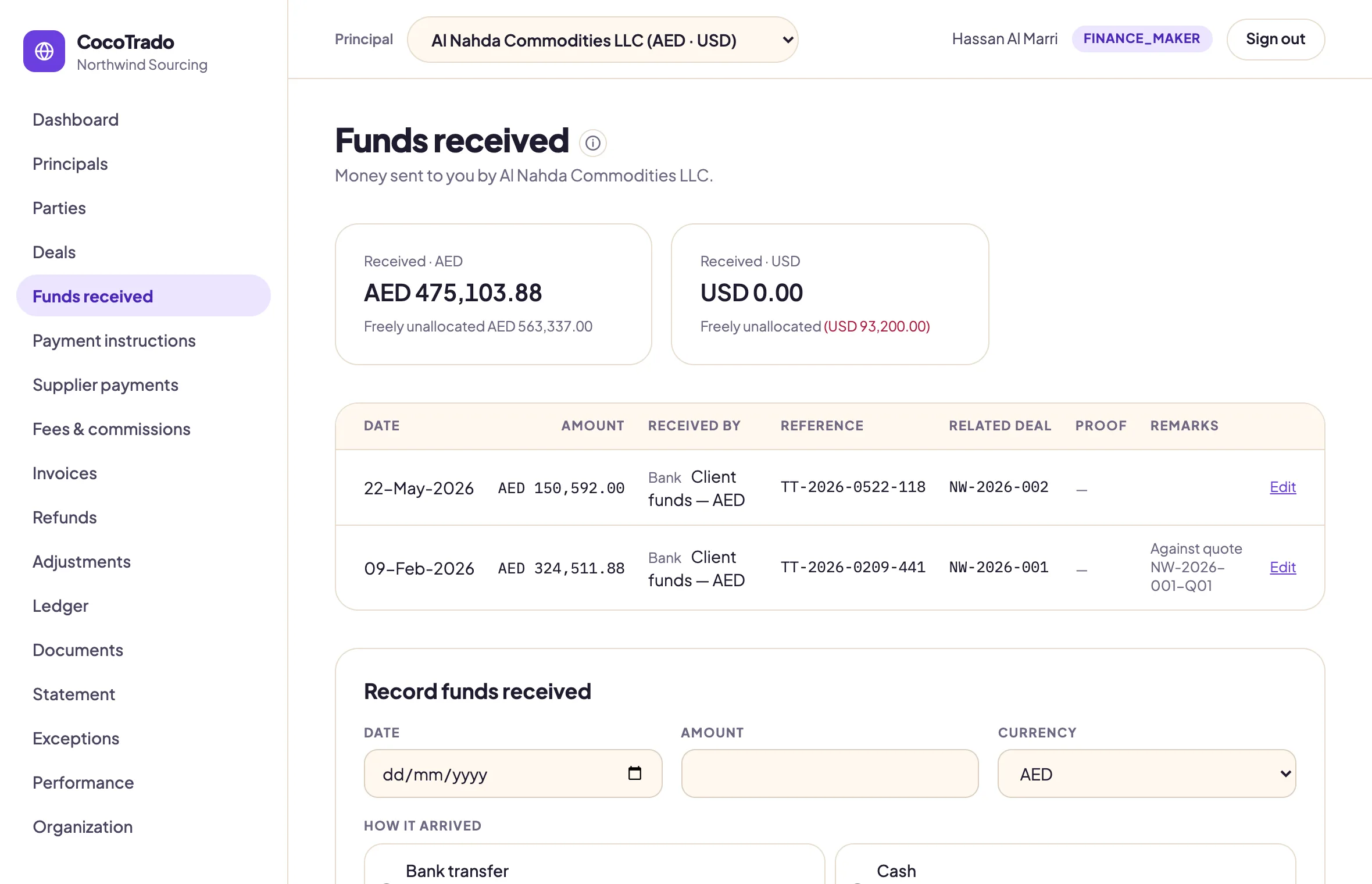
Funds received
Who actually sent it is recorded. Money from a third party is held for review, not credited.
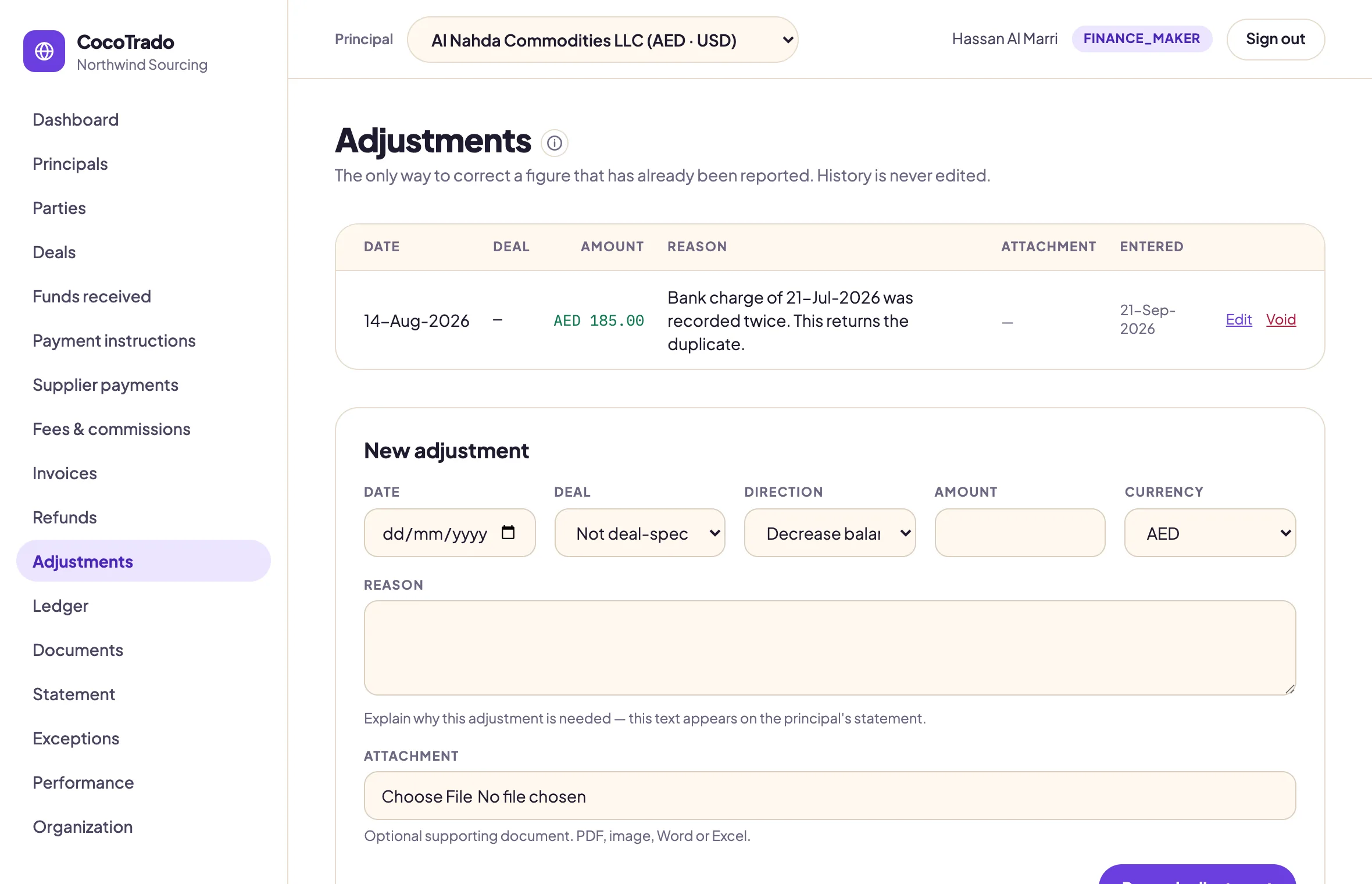
Adjustments
The only way to correct a reported figure. The reason appears on the client's statement.
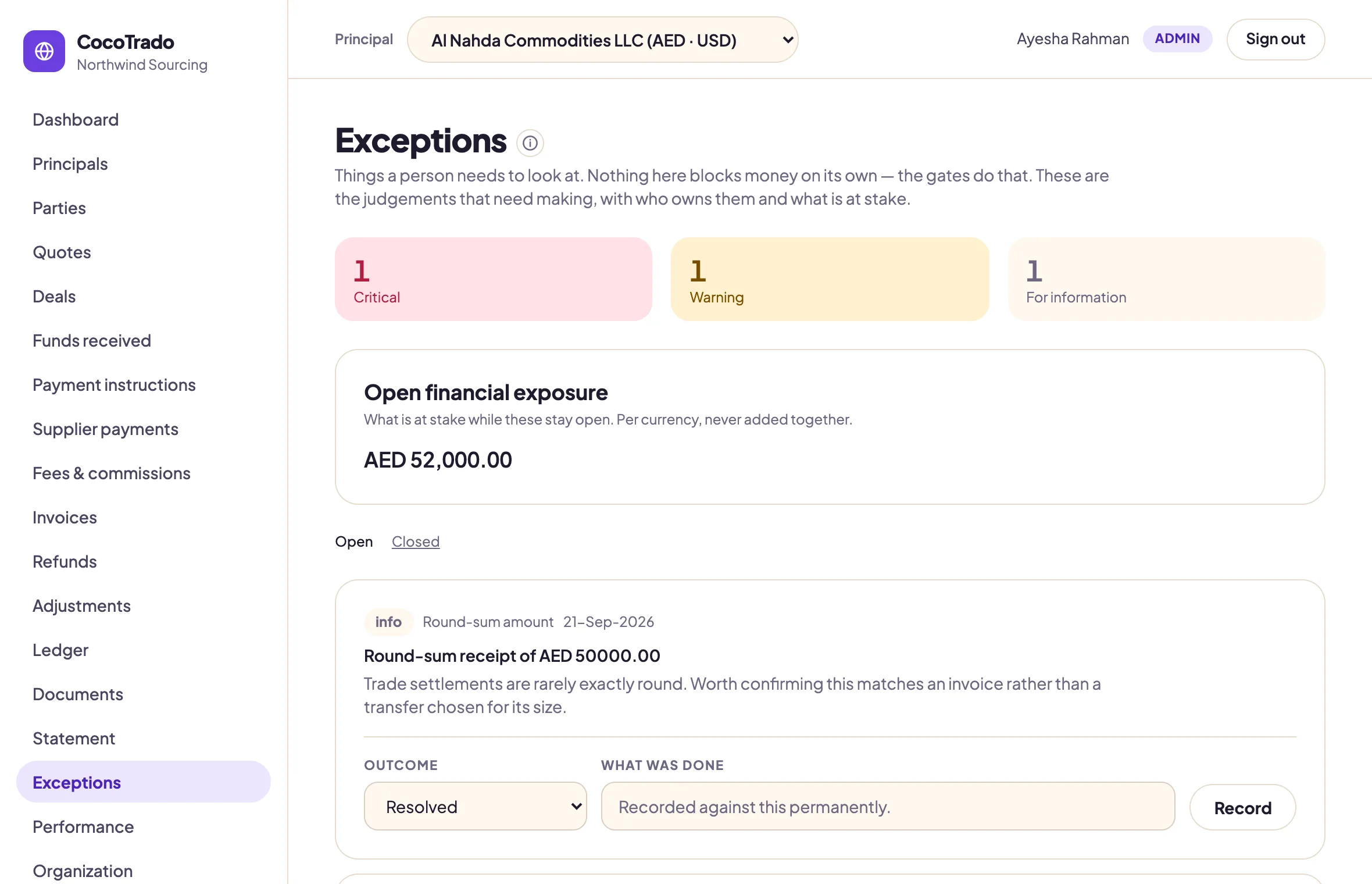
Exceptions
What needs a person to look, with the open exposure per currency.
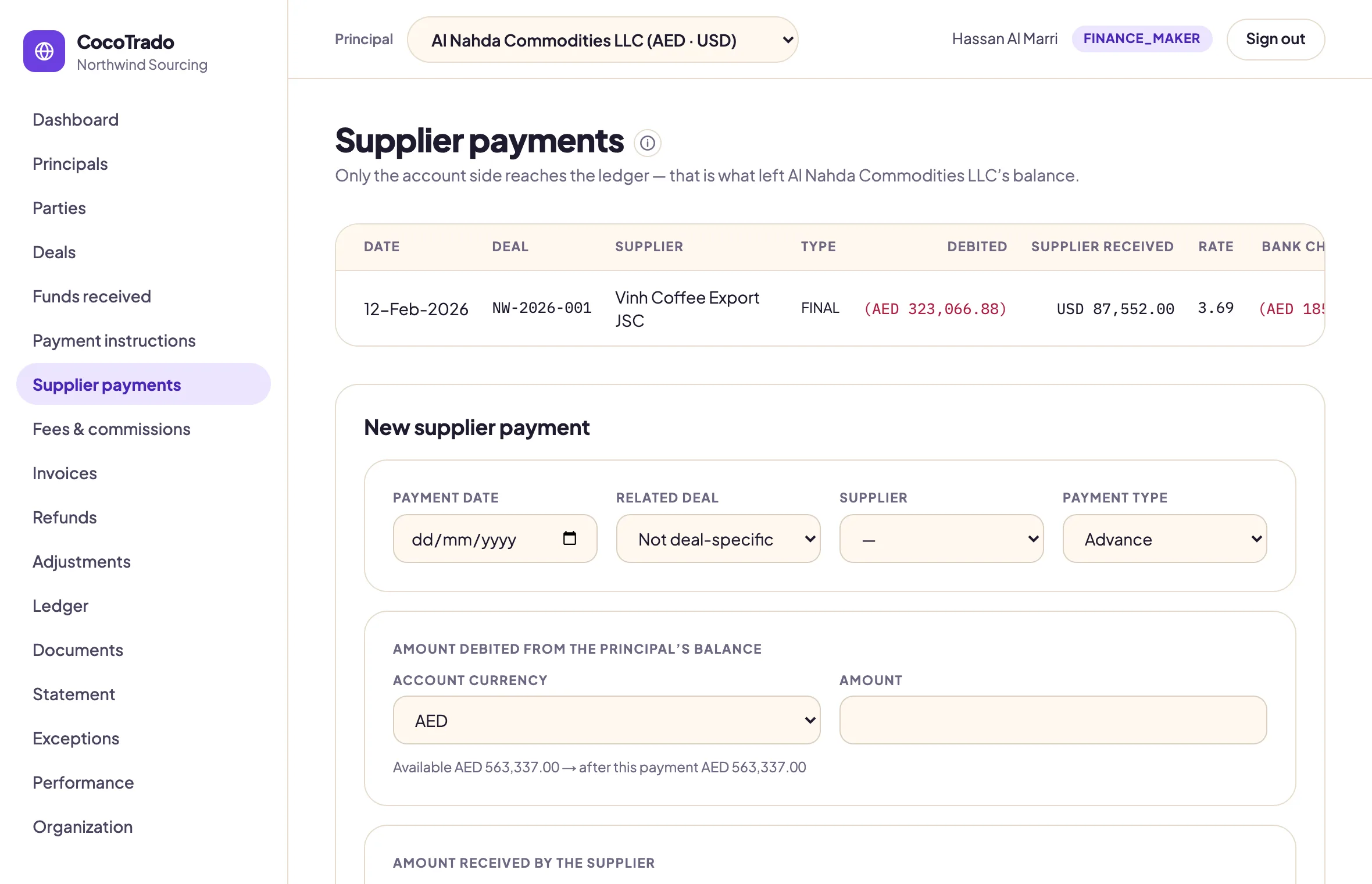
Supplier payments
Entered as two sides: what left the client's balance and what the supplier received.
Setting up
Configured in an afternoon. Nothing hardcoded.
Currencies, principals, bank accounts, suppliers, document types, numbering and fee rules are yours to set. The application ships empty and assumes none of them.
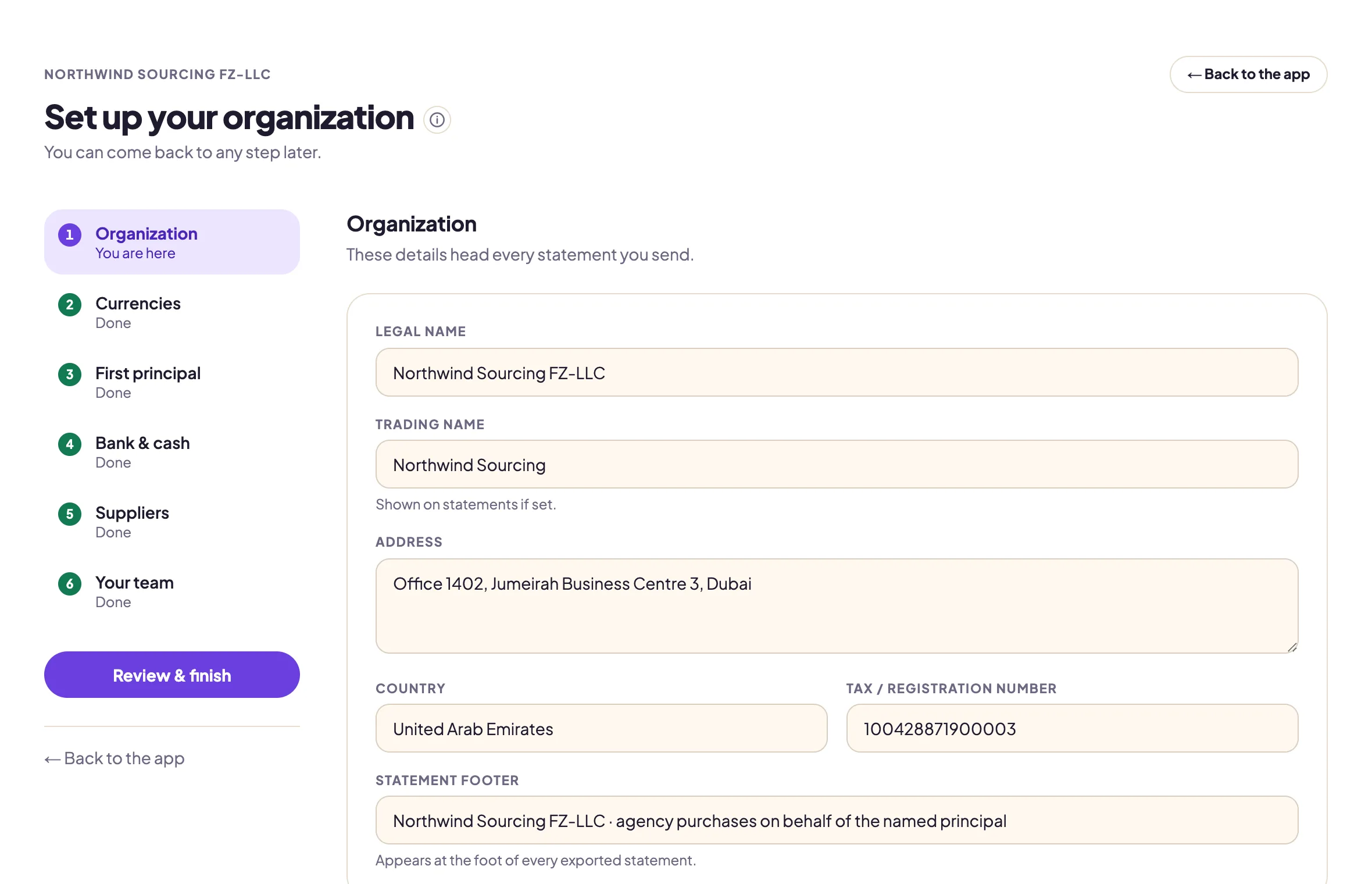
Setup wizard
Six steps, with the statement letterhead previewed as you type. Come back to any step later.
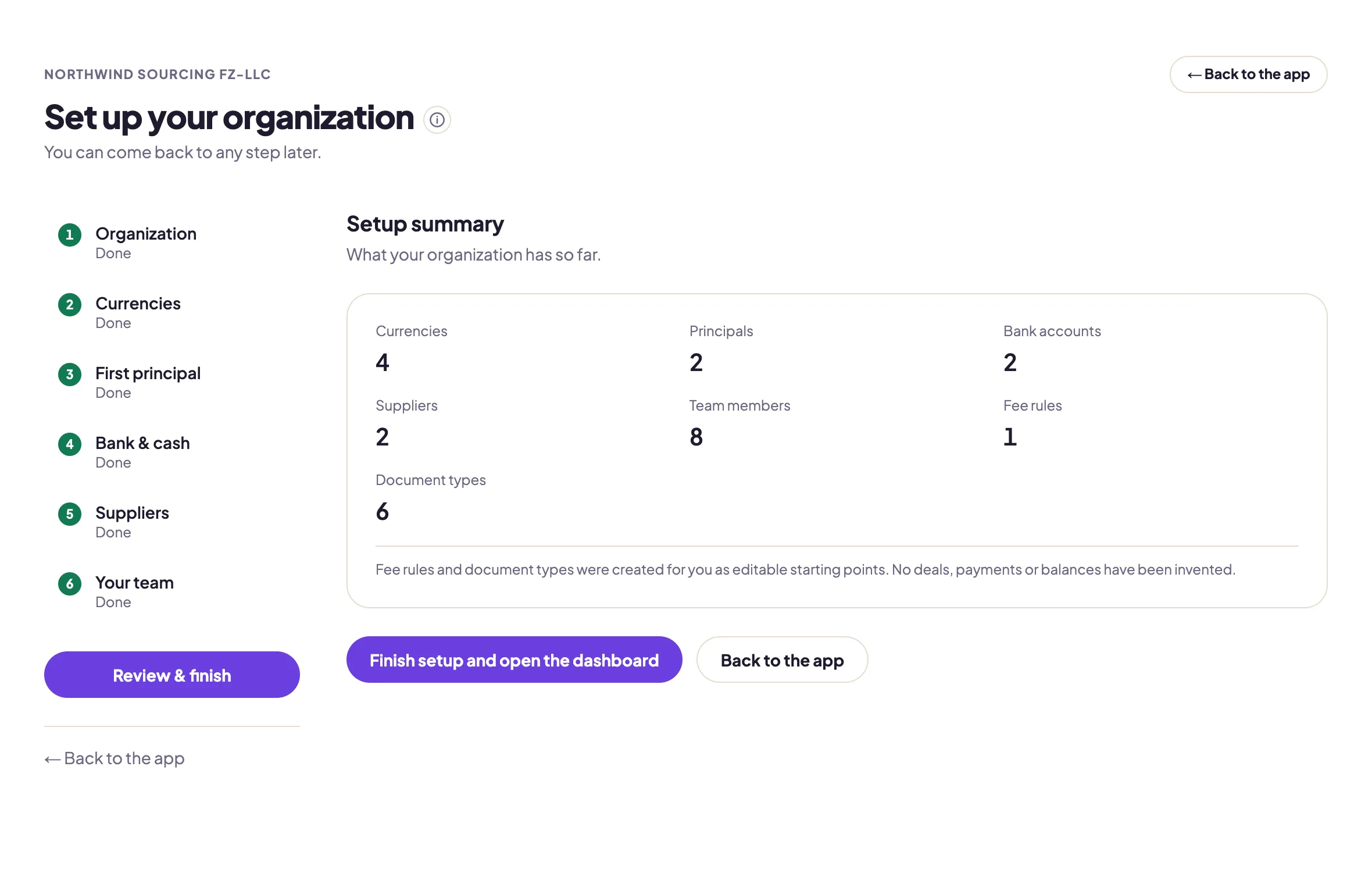
Setup summary
What the organization has so far. Fee rules and document types arrive as editable starting points.
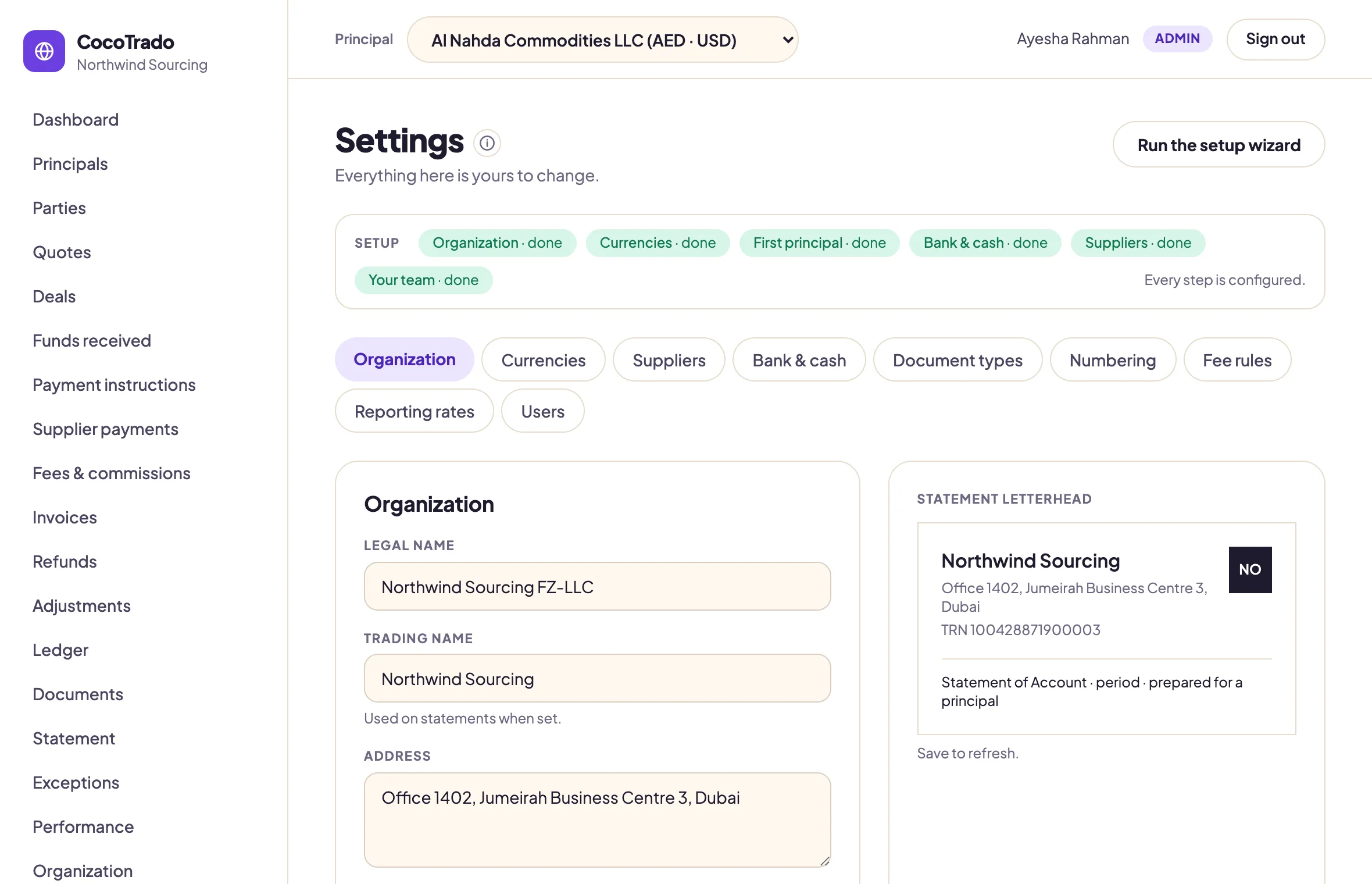
Organization
Legal name, address and tax number, shown as the letterhead every statement carries.
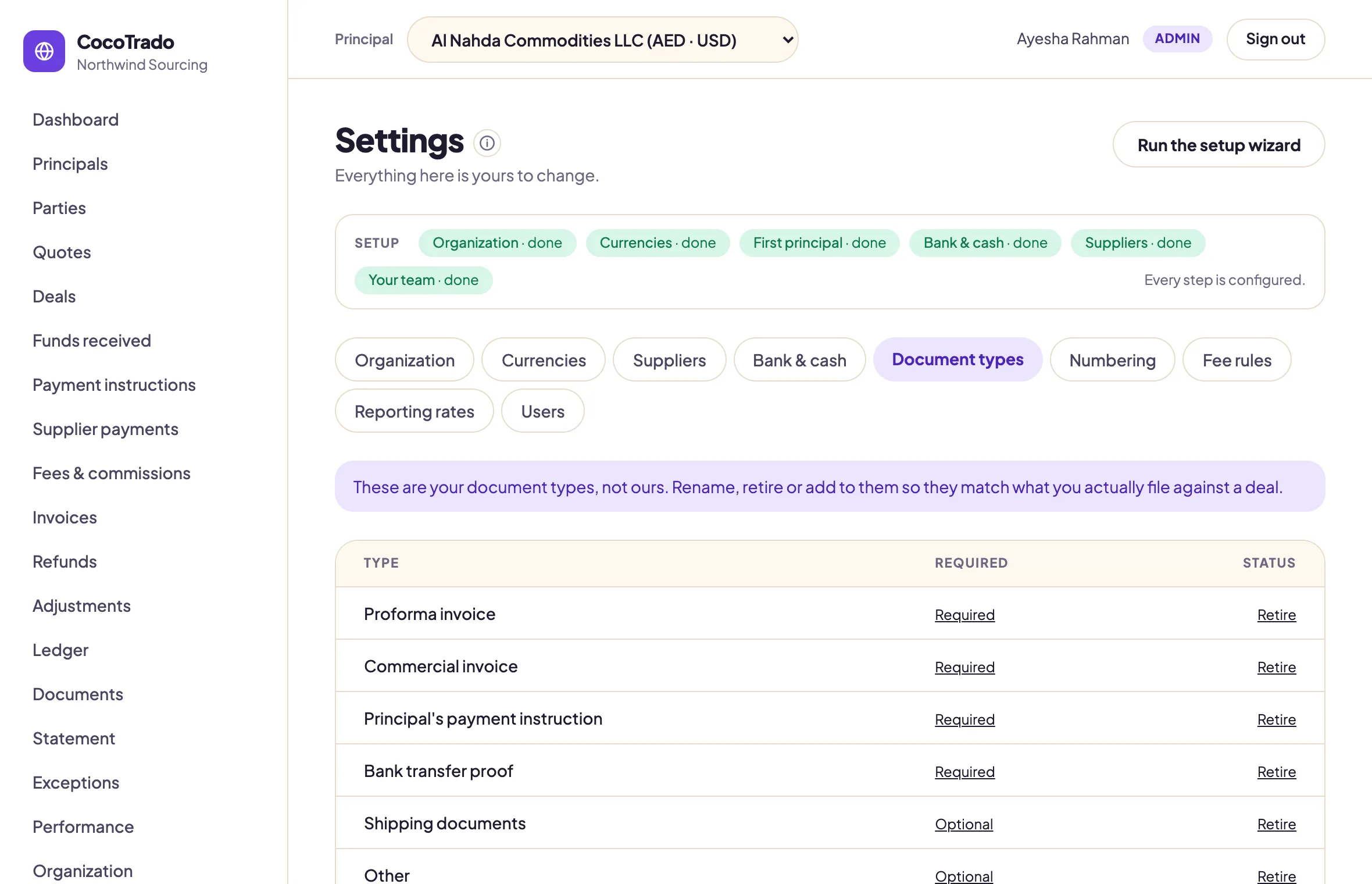
Document types
Your list, not ours. A required type is what the deal page flags as missing.
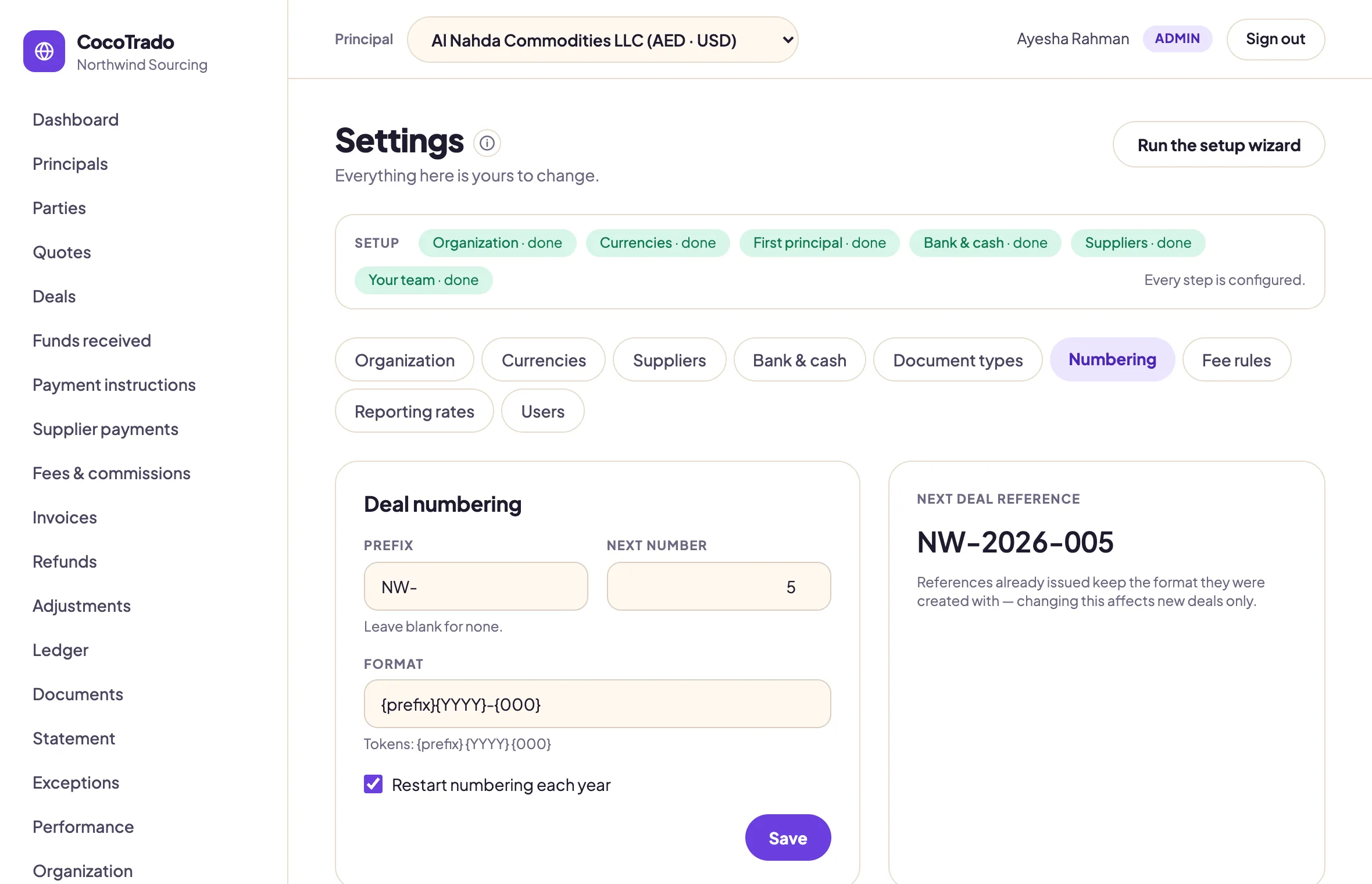
Deal numbering
Prefix, format and yearly restart, with the next reference previewed.
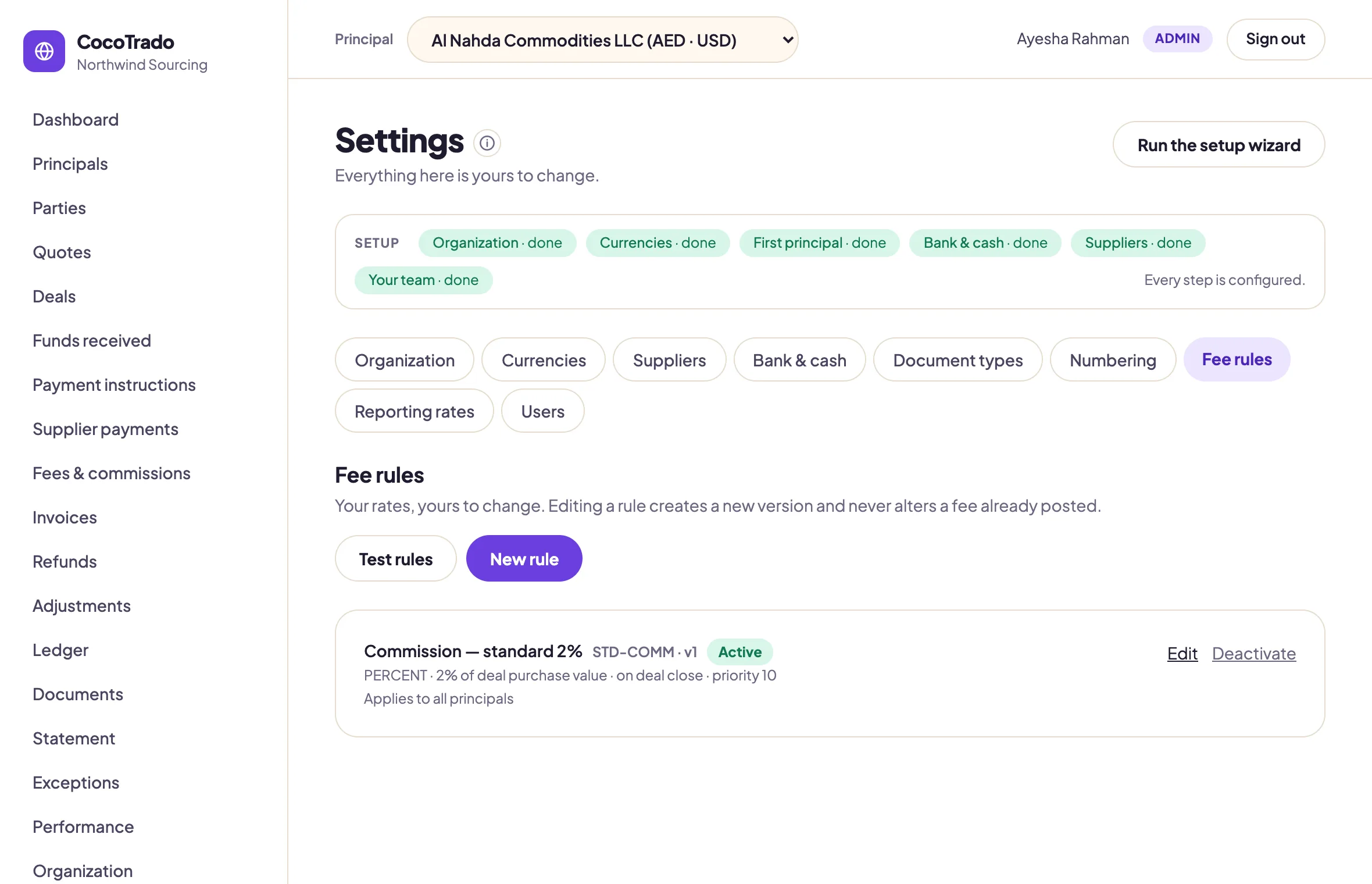
Fee rules
Percentage, fixed, per unit or tiered. A change creates a new version and never moves a posted fee.
Controls
Rules the software will not let you break.
They are not settings. They are what make a CocoTrado statement mean the same thing in every organization that sends one.
One ledger per currency
Balances, totals and statements are computed and shown per currency. There is no grand total anywhere in the product. If a screen showed one, it would be a bug.
No silent edits
Entries on an exported statement are locked. Everything else is corrected by reversal and repost, with a mandatory reason. Nothing is ever deleted.
Maker is never checker
One person prepares a payment or a refund, another releases it. No role holds both, and the Administrator holds neither. Paying a supplier takes two people.
Compliance outranks Admin
Anyone close to the work can raise a hold. Only the Compliance seat can clear one. Raising a concern is easy; clearing it is hard.
Both sides of every FX payment
What left the client's balance, what the supplier received, and the rate between them, stored together. Currencies are never combined without a rate.
Fees show their working
Basis, rate, rounding, minimum, cap and the rule version, on every fee line. Changing a rate today cannot move a statement sent last month.
Security and tenancy
Built like it handles money.
The platform operator provisions organizations and sees seat counts and storage. Never deals, balances, statements or documents.
Isolation enforced by the database
Every tenant table carries row-level security, forced on, so a forgotten filter fails closed rather than leaking one organization's money data into another's screen.
Two-factor sign-in
Authenticator apps, not emailed codes. Ten single-use recovery codes, stored hashed. Turning it off asks for the password again.
Payment proofs stay private
Proofs and deal documents live in a private bucket behind signed URLs. Nothing is publicly reachable.
Every move has a name, a time and a reason
Each status change records who, when and why, in an append-only history the Auditor seat can read.
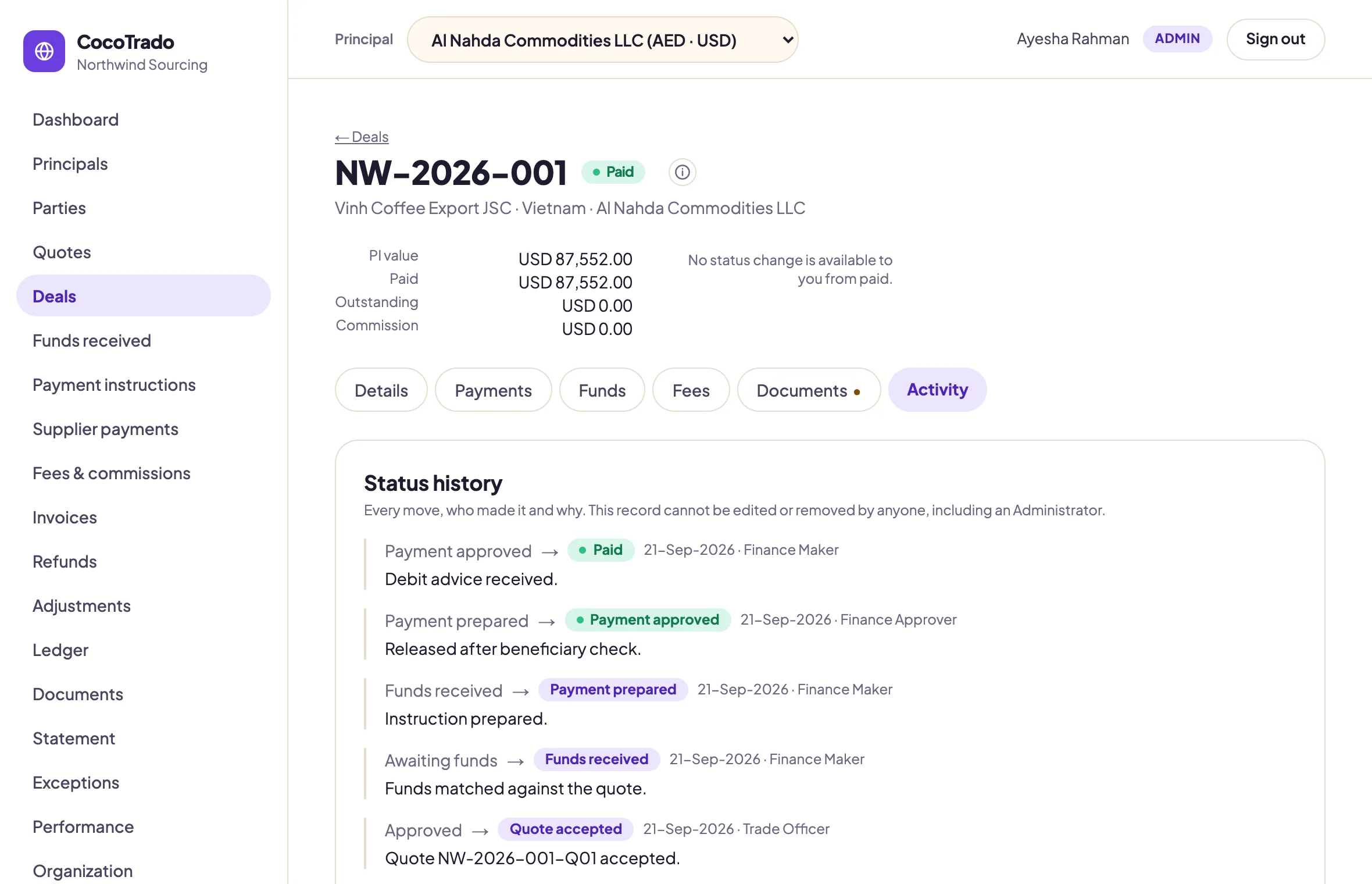
Status history
Every move, who made it and why. It cannot be edited or removed by anyone, including an Administrator.
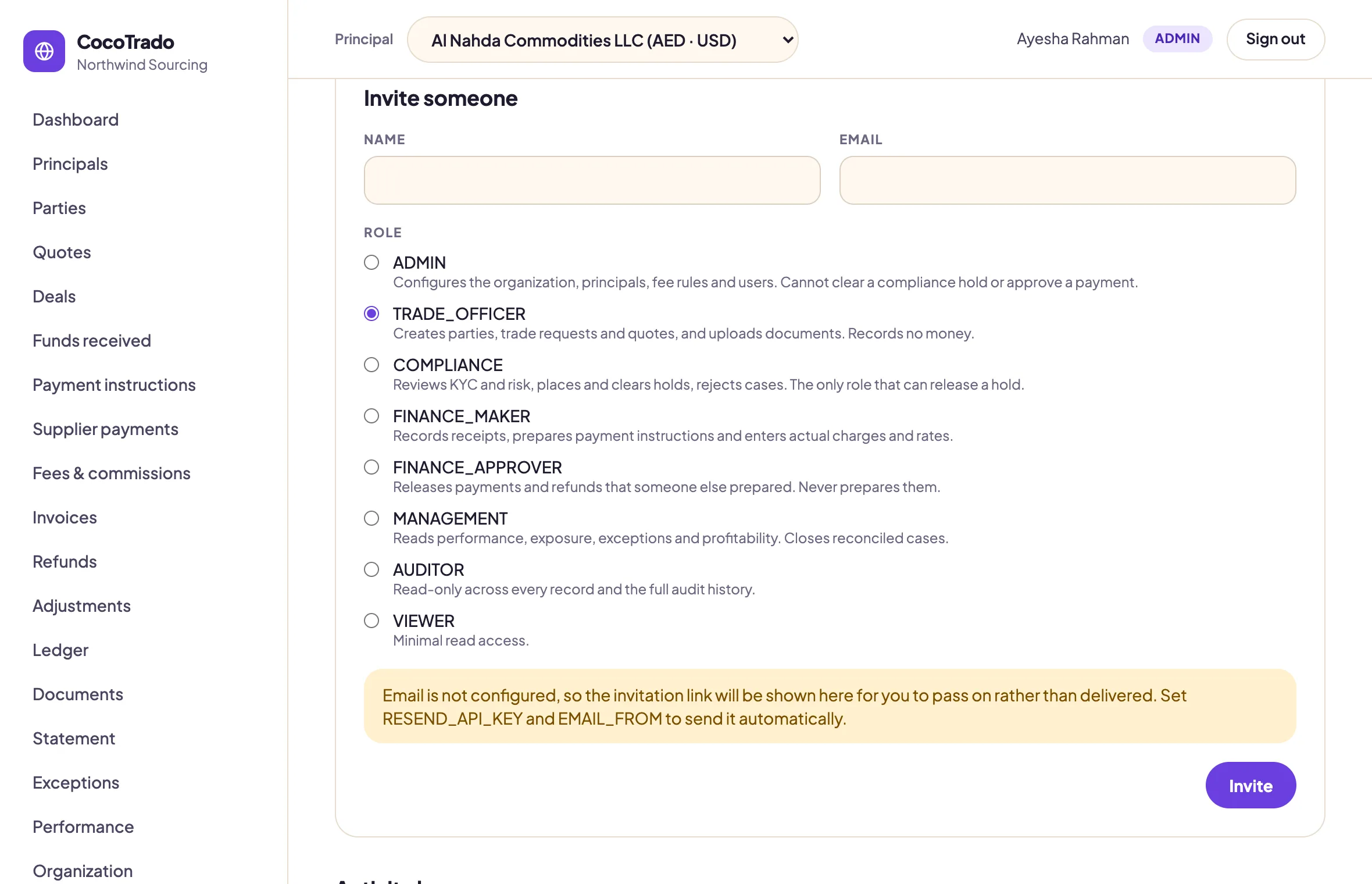
Nine roles, fixed
Each seat does one job. The maker never checks, and only Compliance clears a hold.
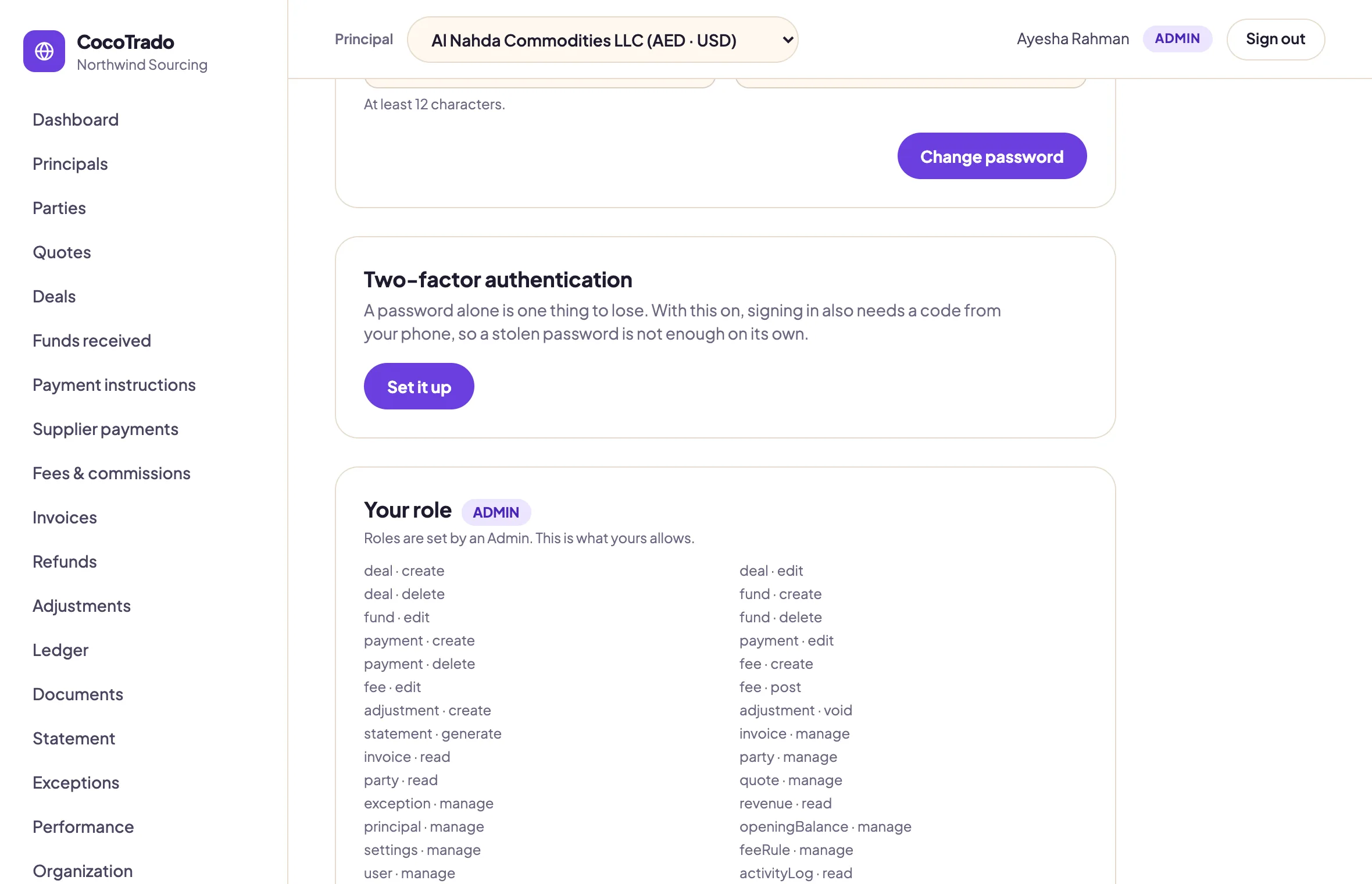
Two-factor sign-in
Authenticator apps, enforced at sign-in once enrolled, with ten recovery codes stored hashed.
930
automated checks, run against a database built from nothing rather than a developer's own.
33
tenant tables under forced row-level security. A missing policy fails the pre-deploy check.
2
signatures on every payment and refund, enforced in the application and again by the database.
Who it is for
For agents who hold client money. Not an ERP.
Built for
Buying and indent agents who pay suppliers with a principal's funds
Commodity trading agents running several principals in several currencies
Teams of three to ten who send a statement the client has to accept
Deliberately not
Double-entry accounting, VAT returns or an ERP
Inventory, shipment tracking or the sales side
A client portal. Principals receive the statement; they never log in.
Start with an empty organization.
Add your currencies, your principals and their opening balances. Print the first statement the same afternoon.
Joining an organization that already exists is by invitation from its Administrator, never from this page.